


MVP for an AI-first agritech documents management platform
mvp design
Project outcomes
Delivered an MVP that validated AI-driven document automation, reduced manual work, and enabled scalable platform growth.
4x faster
checking of shipping documents
75% less
errors in document presentation
Up to 2 days
saved in payment
cycle
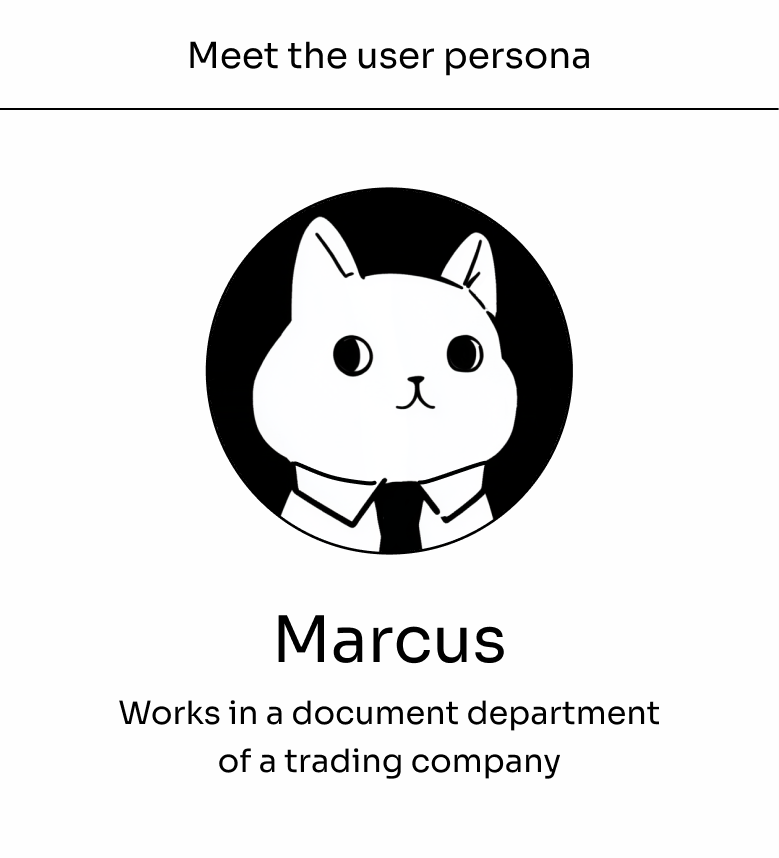
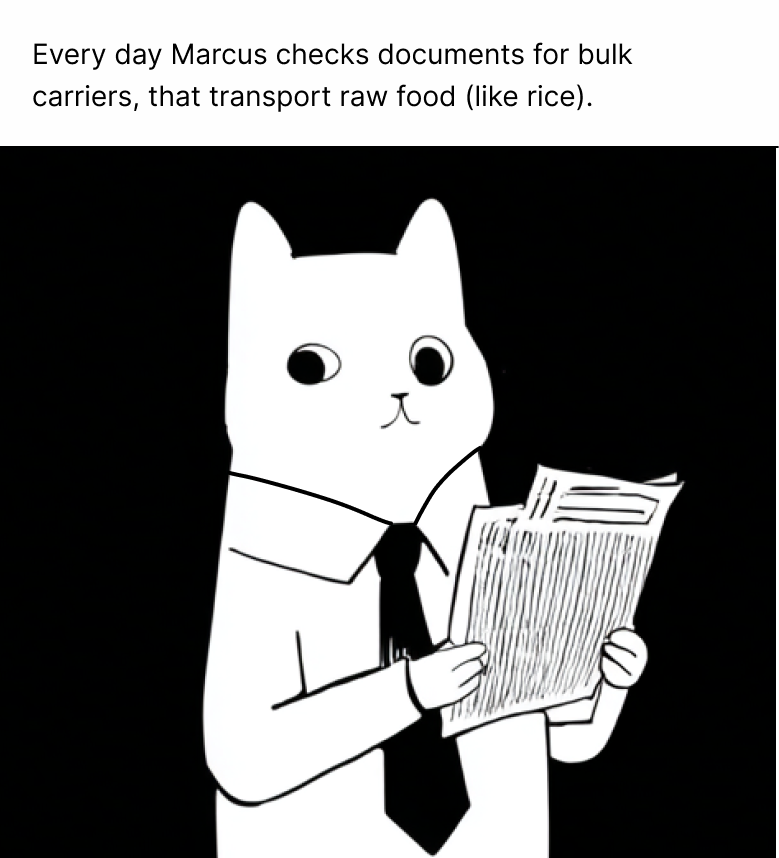
Problem
1
2
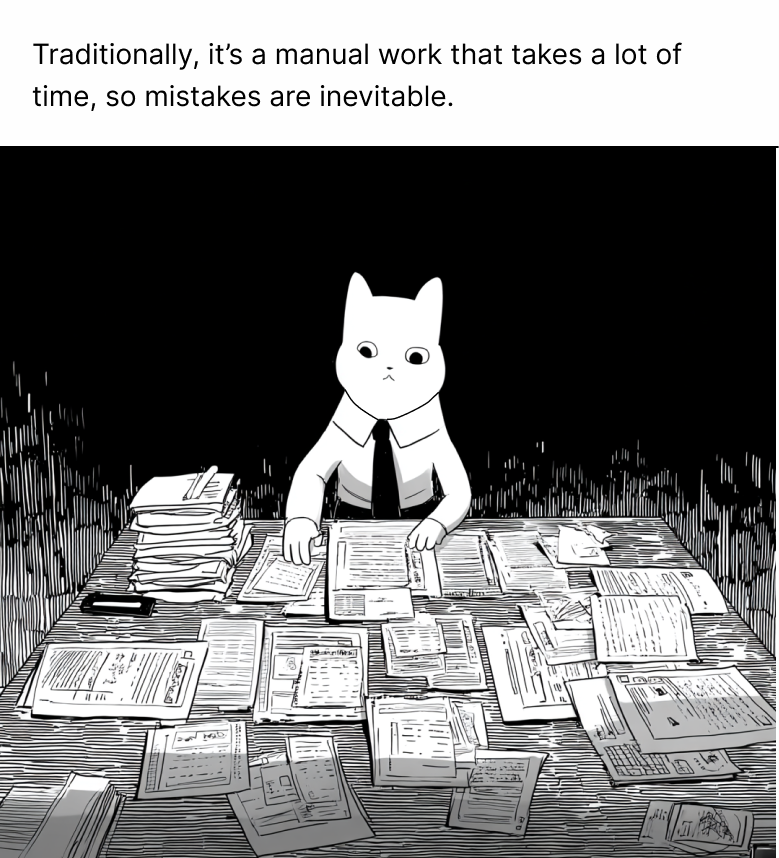
3
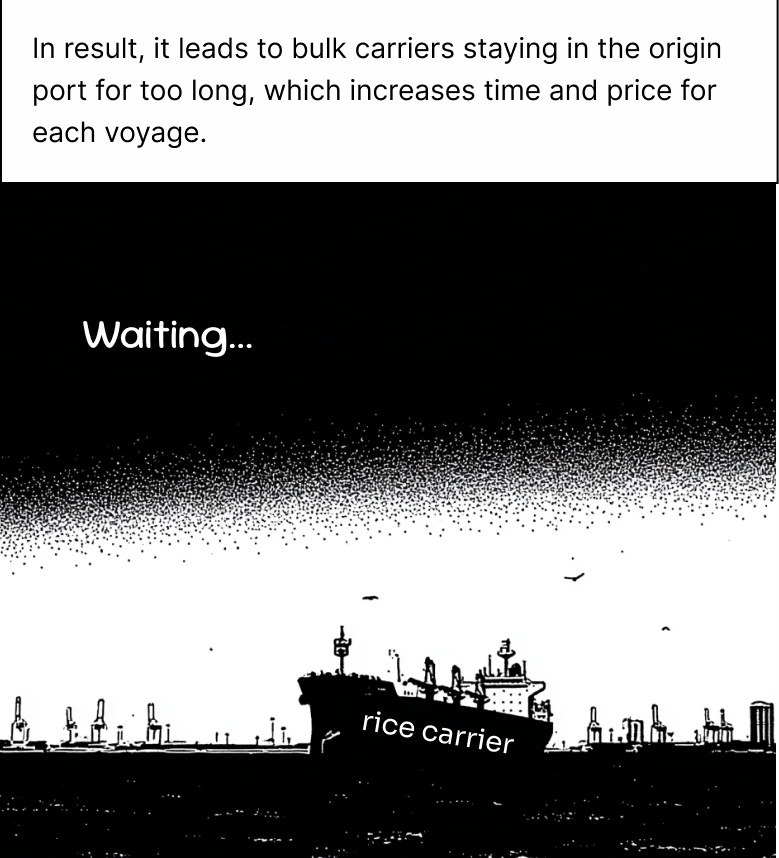
4

5
So the challenge was
Automate document checking with AI.
Solution
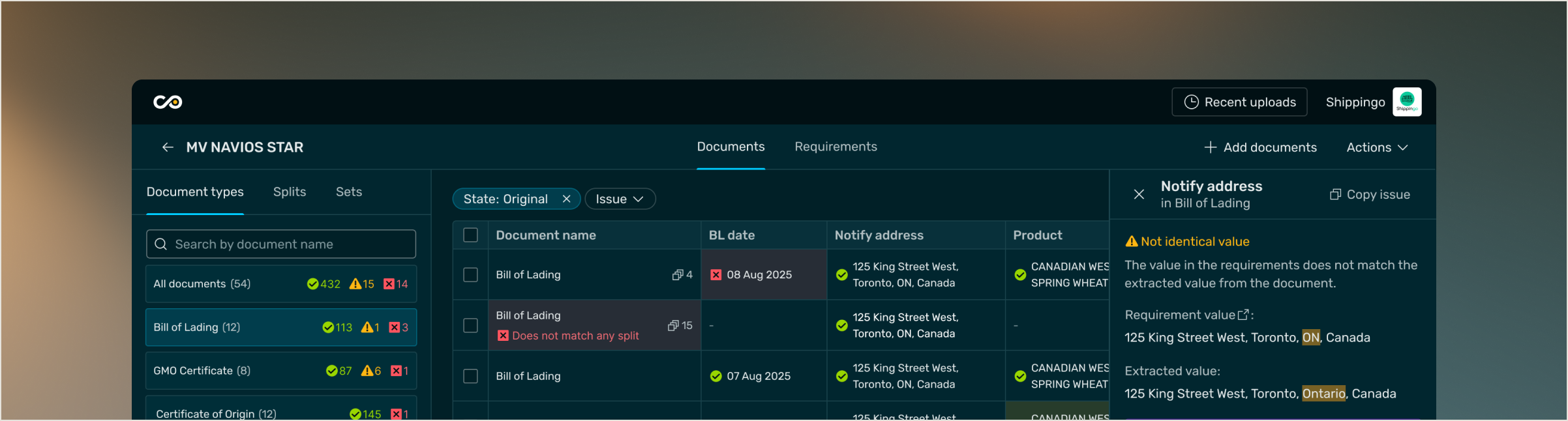
In collaboration with Covantis product team, we discovered a way to quickly design and deliver MVP concepts, to evolve the idea from 0 to 1 to identify the minimum viable functionality and UX, that enabled client to reach their goal.

Research highlights
We:
facilitated stakeholder interviews
shadowed users to see how they work nowadays
researched the document and instructions types
understood the document checking logic
aligned on technical restrictions with Covantis Dev team
and many other
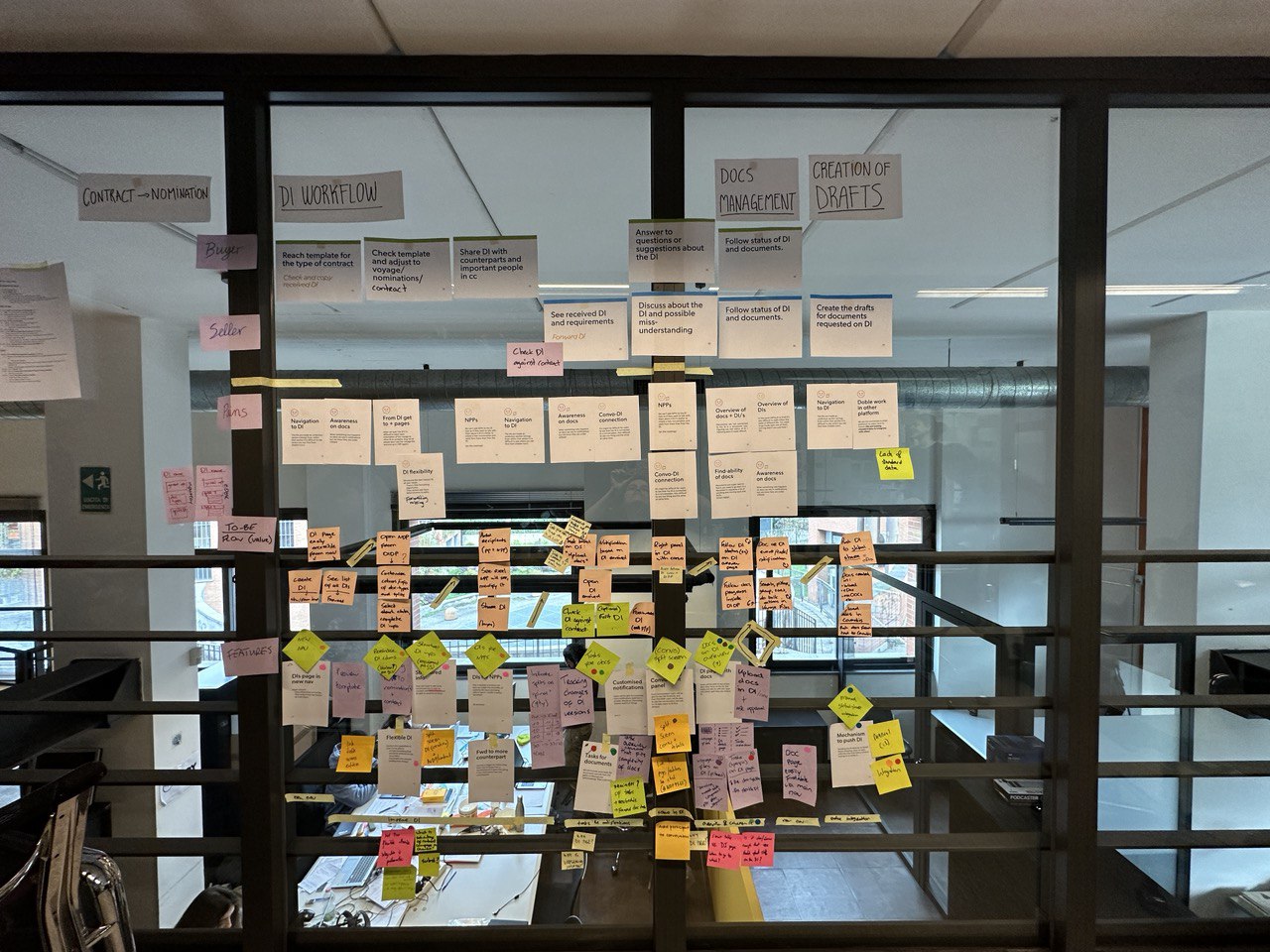
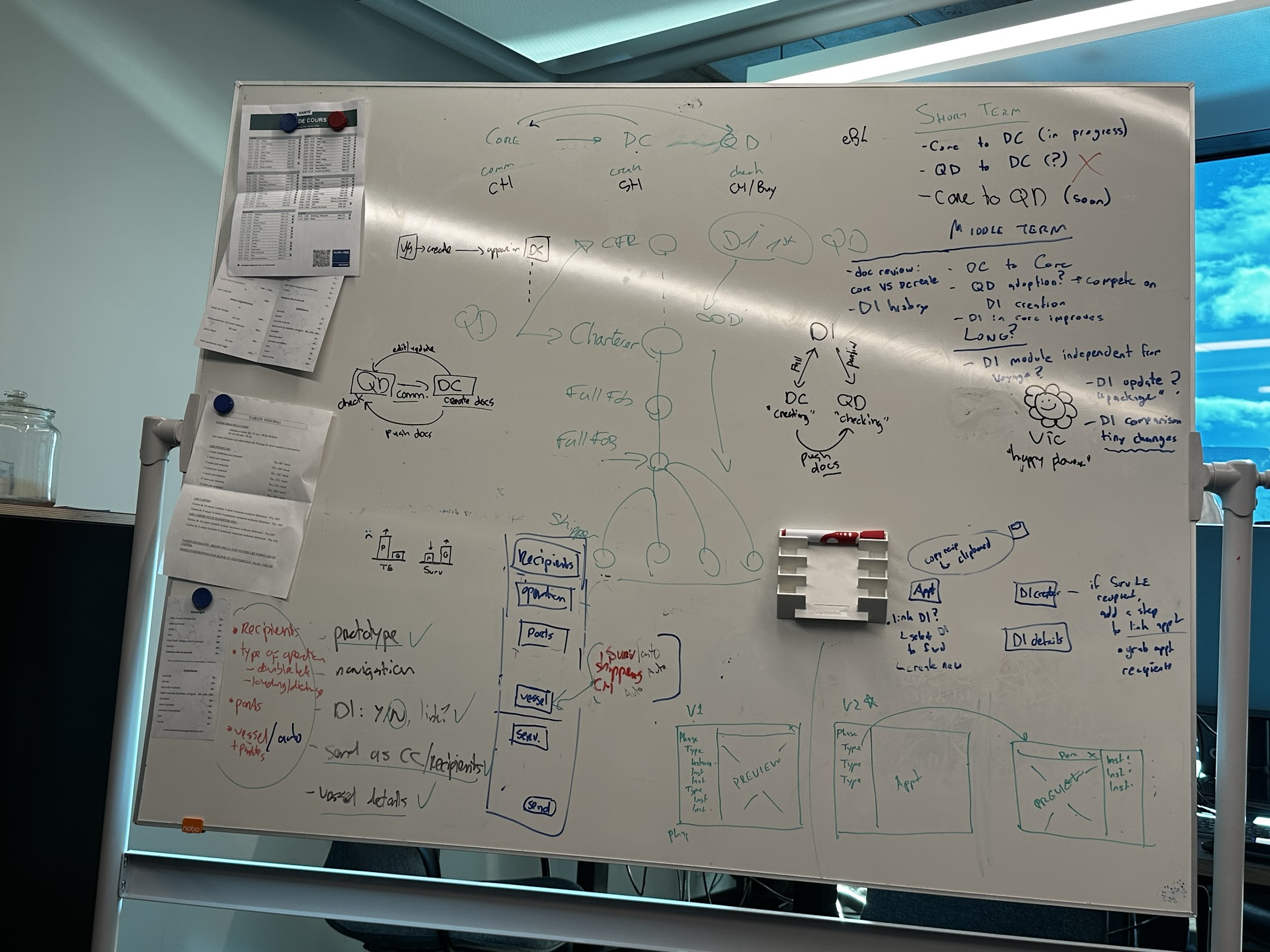
These activities helped us step into our users’ shoes and understand how their work unfolds day to day. By observing their current process in action, we could see not only what they do, but why they do it, and where the biggest opportunities for simplification lie.
INITIAL Manual Workflow Mapping
Below are snapshots from users’ everyday environment.

User receives document instructions in any possible form - as email message, as PDF file, or excel table - there is no standardized formatting.
*real photo from shadowing

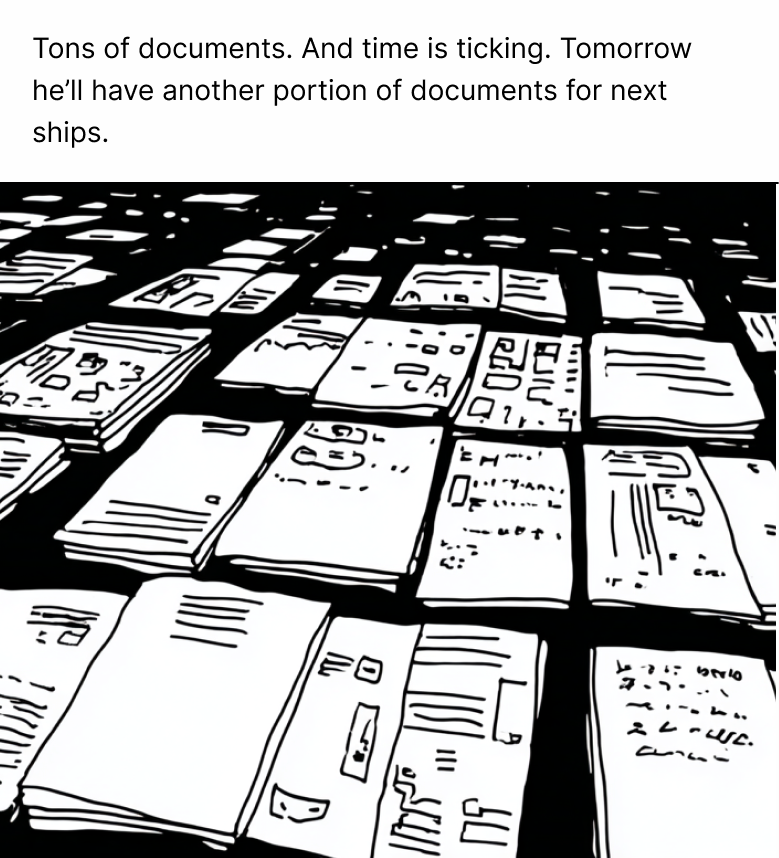
When it’s time to check document/instruction compliance, users print the documents, check page by page, and put documents for each counterparty in corresponding piles.
*we don’t have a real photo from shadowing, so it’s an AI generated illustration of how it actually looks like.
Concept evolution

1. Early version
Simple document parser without any additional functionality.
Proved to be not viable, since user had to manually compare details .
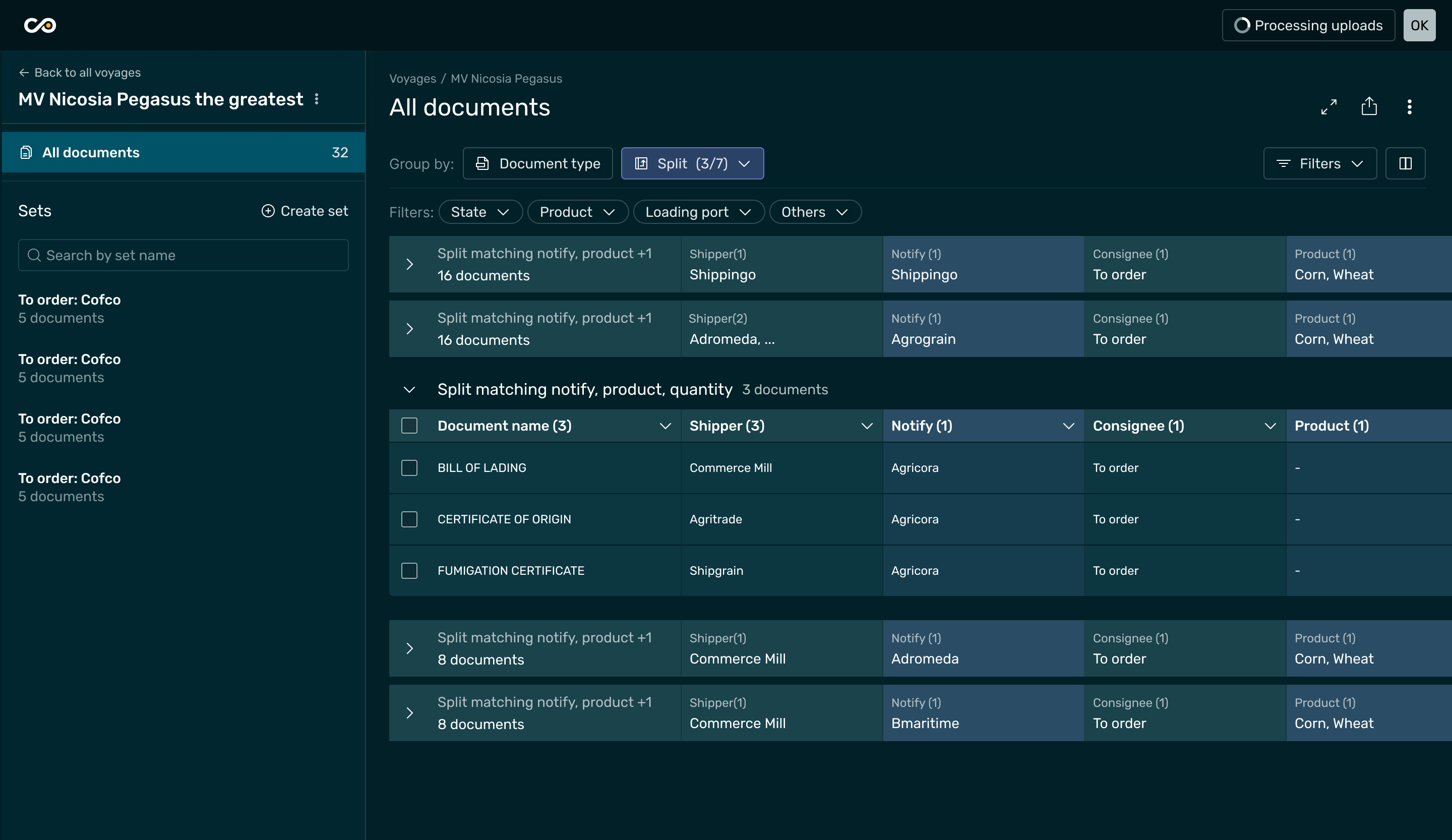
2. Intermediate version
Improved details compapison by allowing user to set up the instructios for the documents check.
Proved to be unviable, since user had to enter document instruction manually, and it became even more time consuming process.
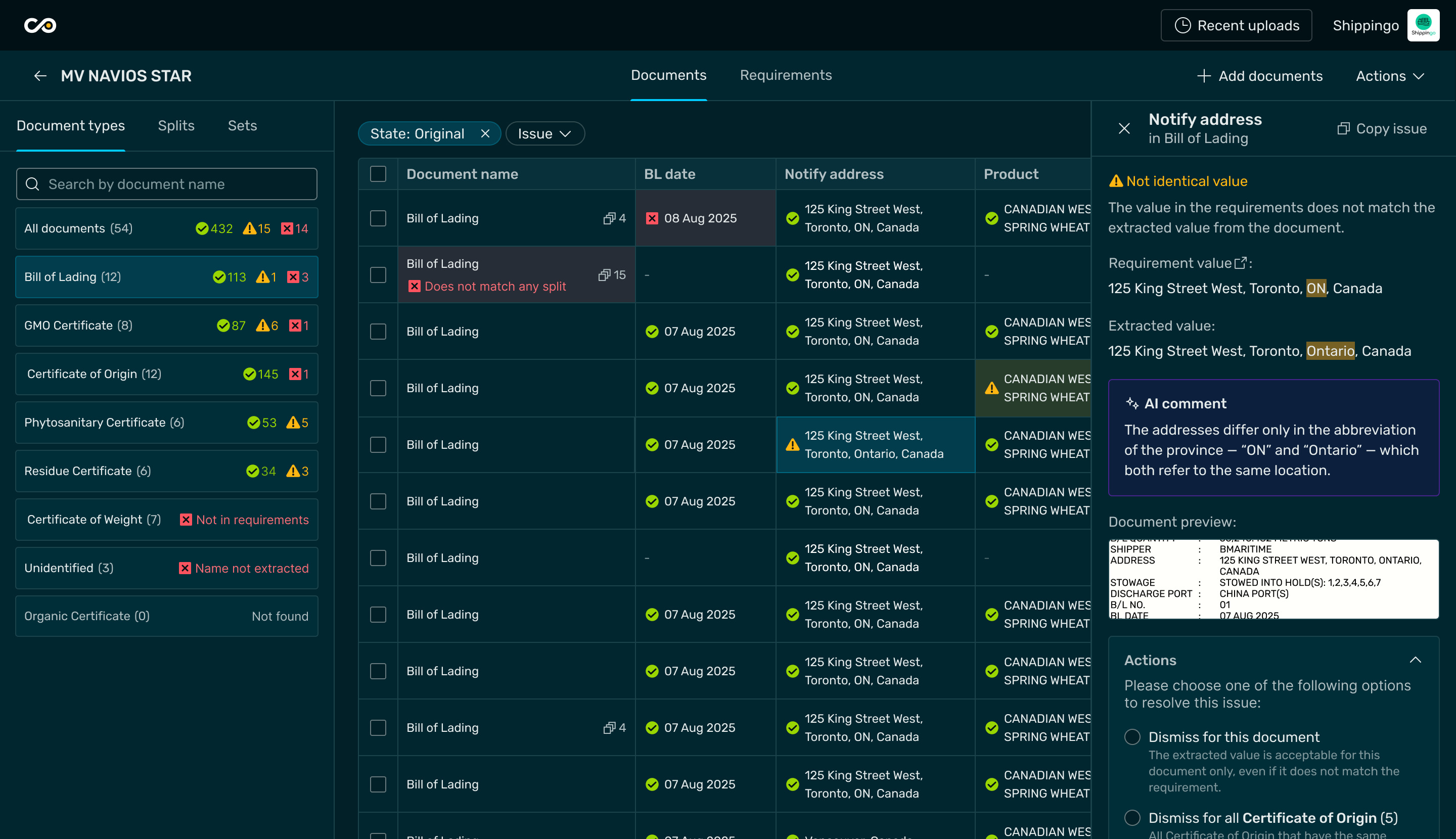
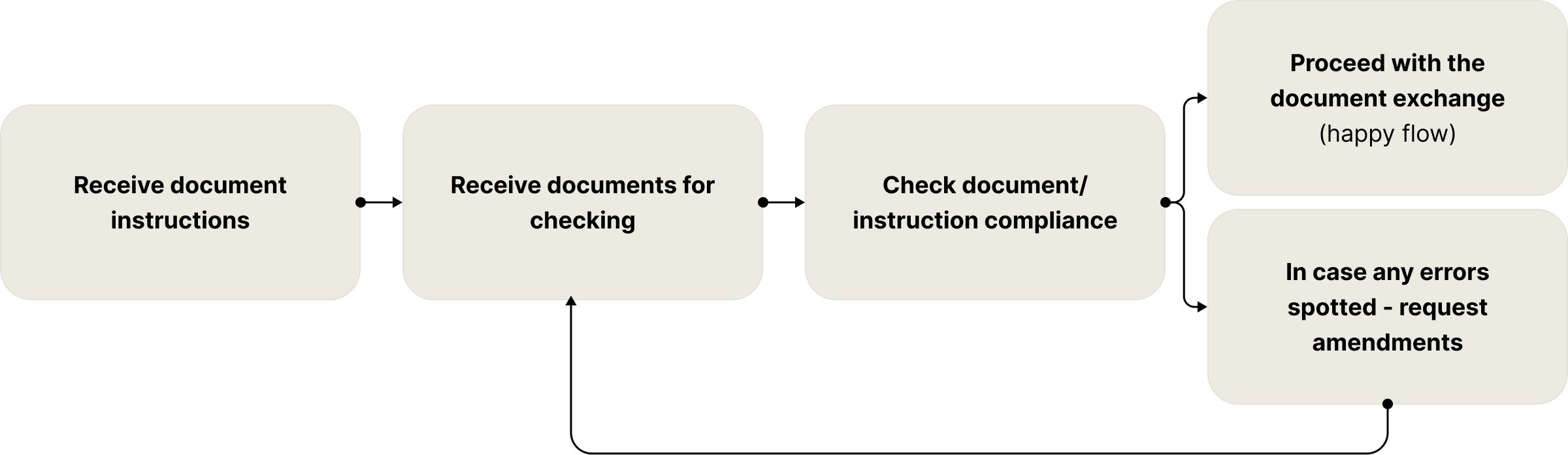
3. Viable version
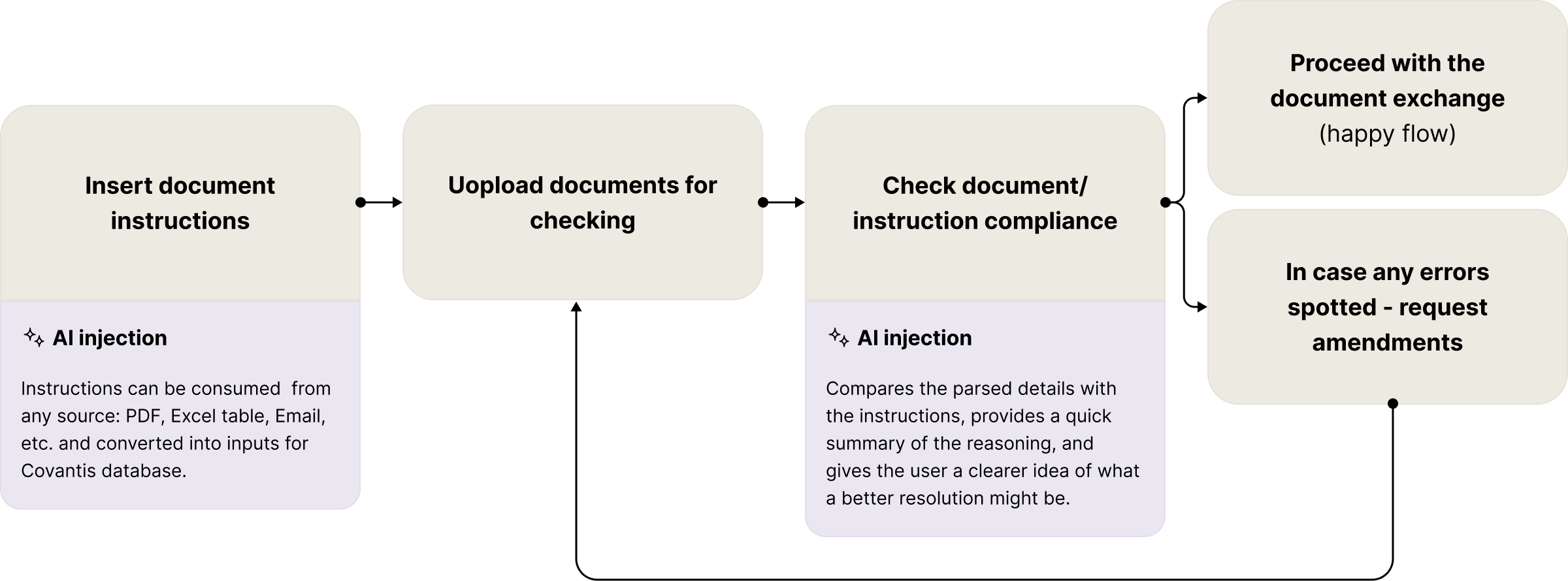
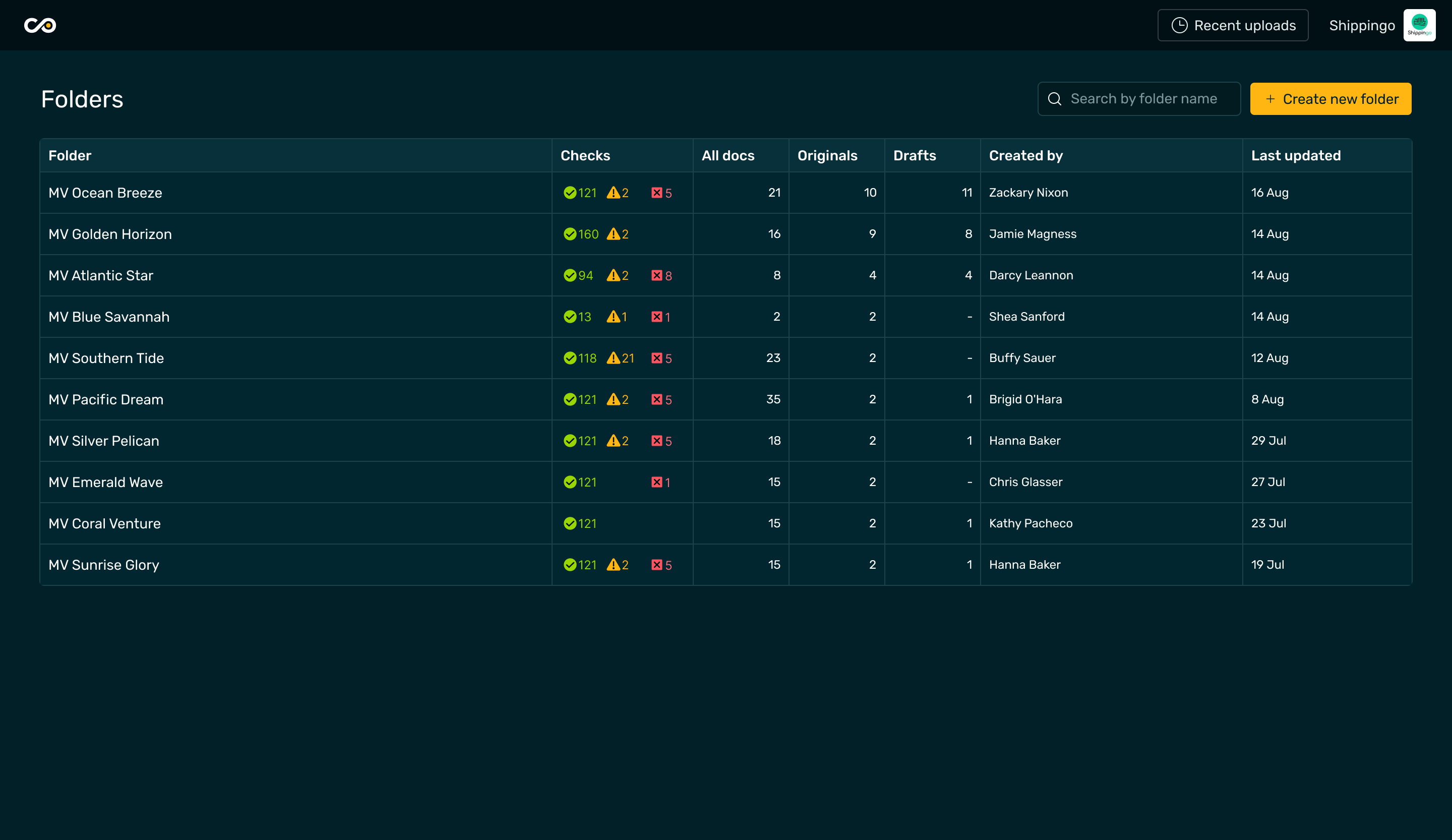
The AI injections into the user flow enabled to decrease almost all manual entries, and now user could focus only on remaining document issues, which is the very goal of this process.
Viable version flow
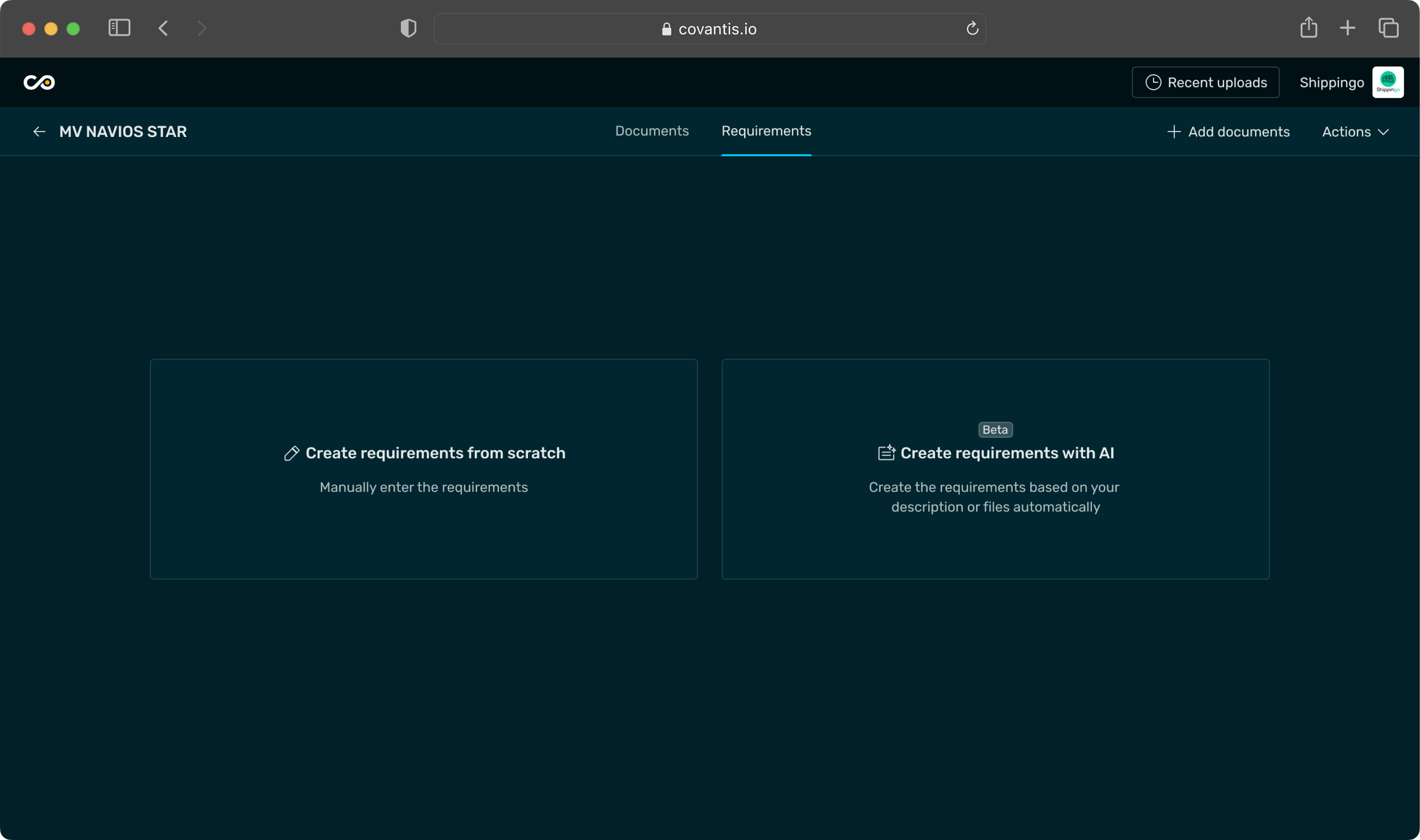
Insert document instructions
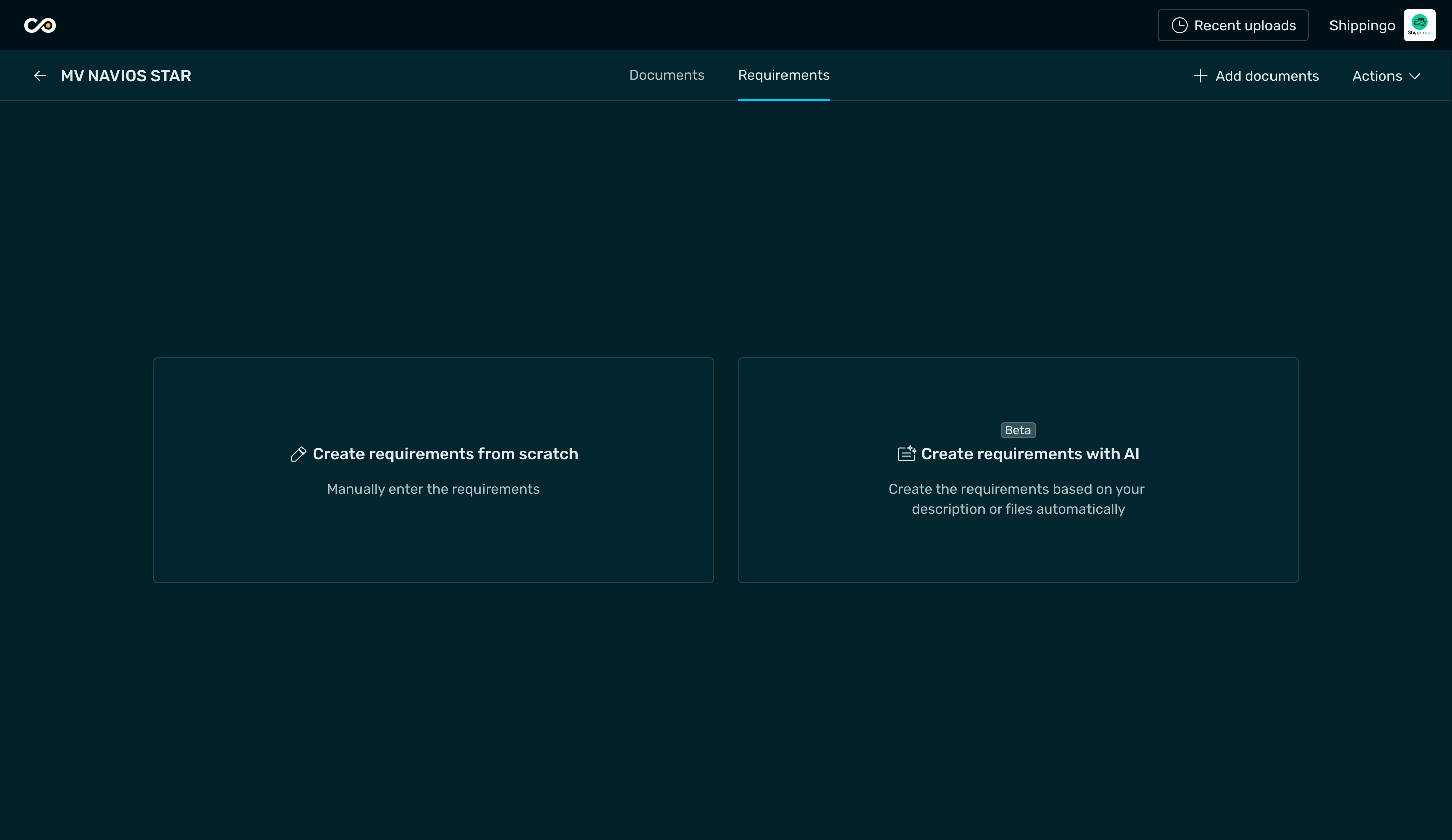
To make the process flexible, users can choose between entering document requirements manually or asking AI to do it for them.

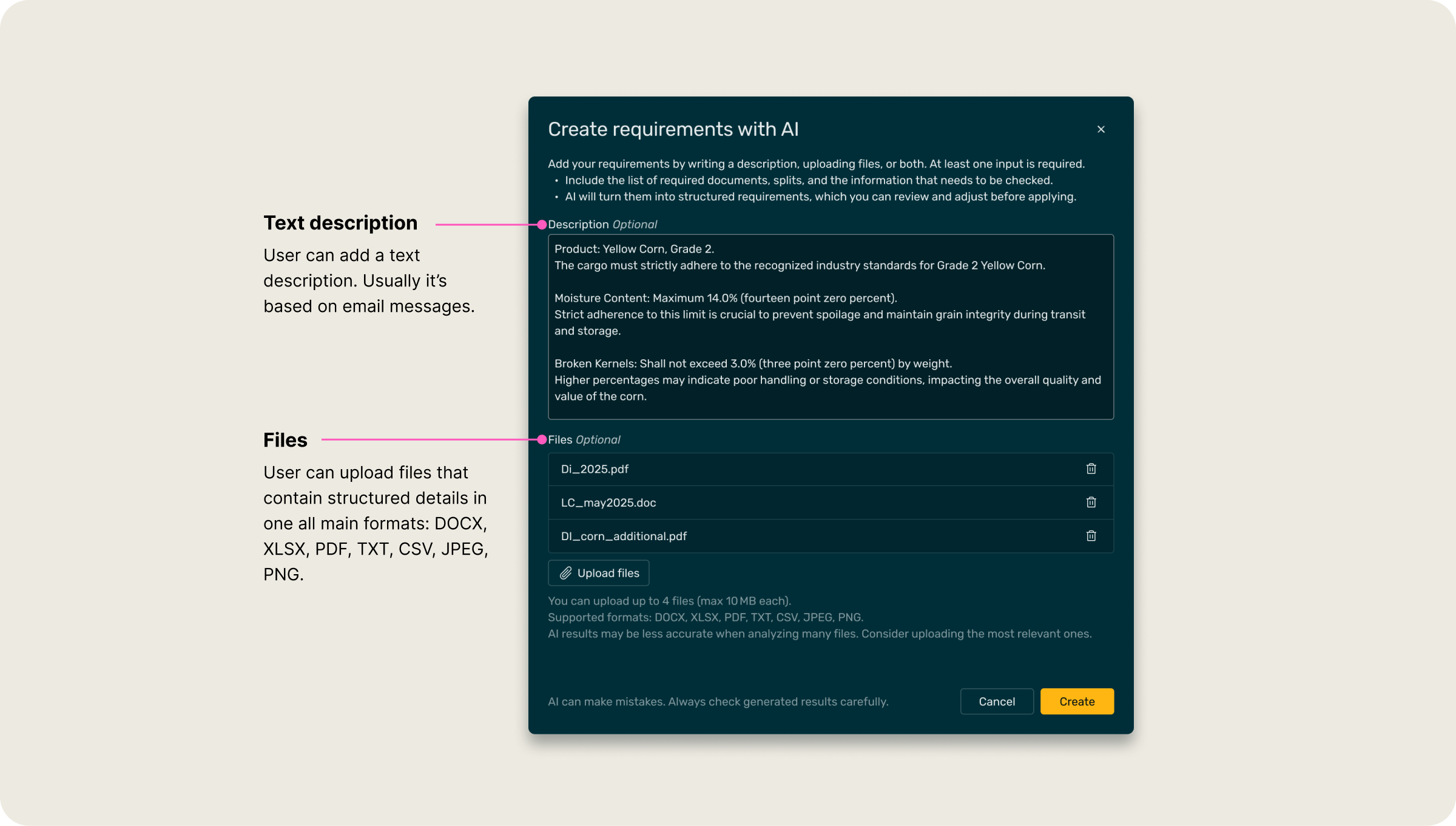
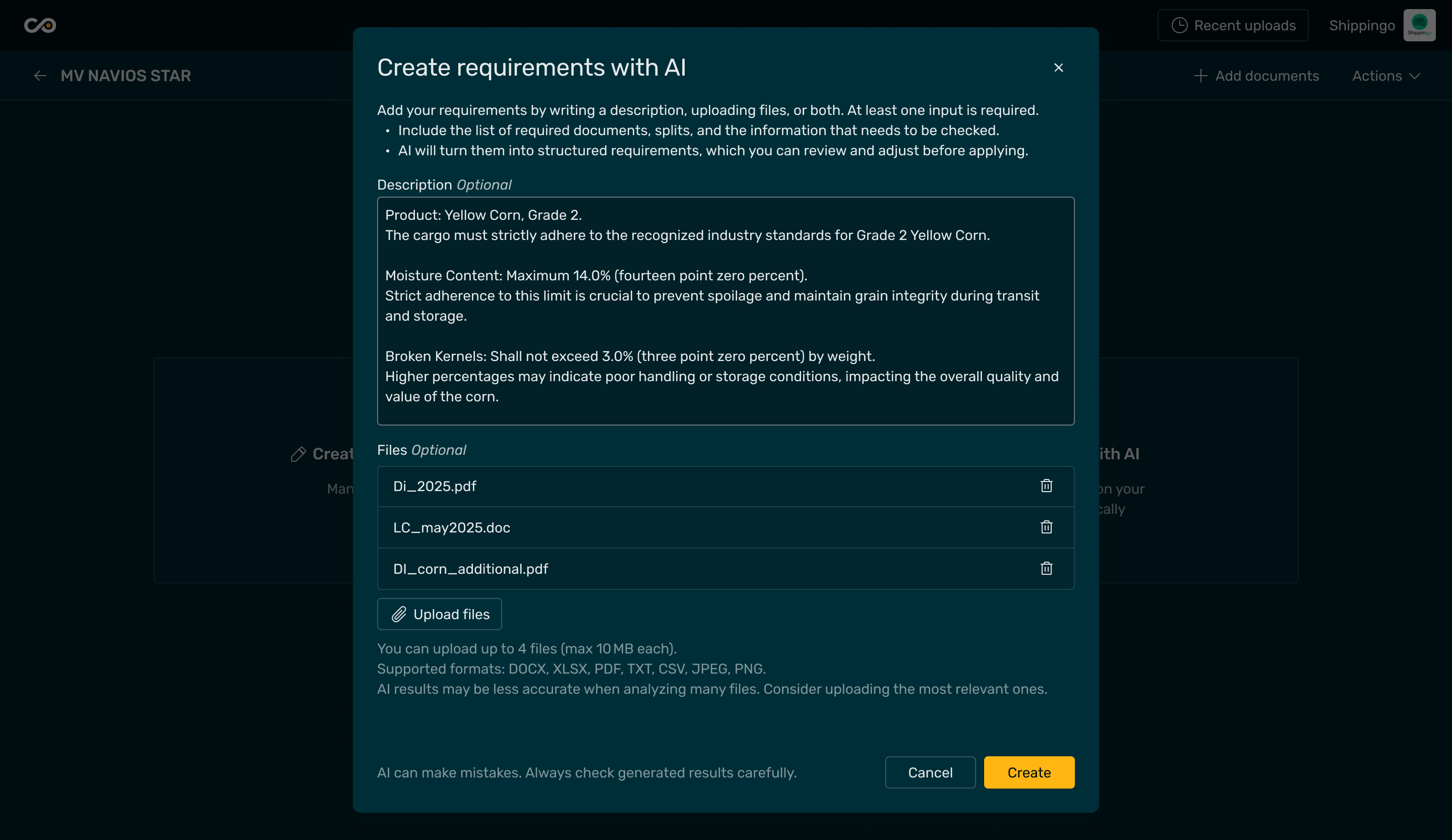
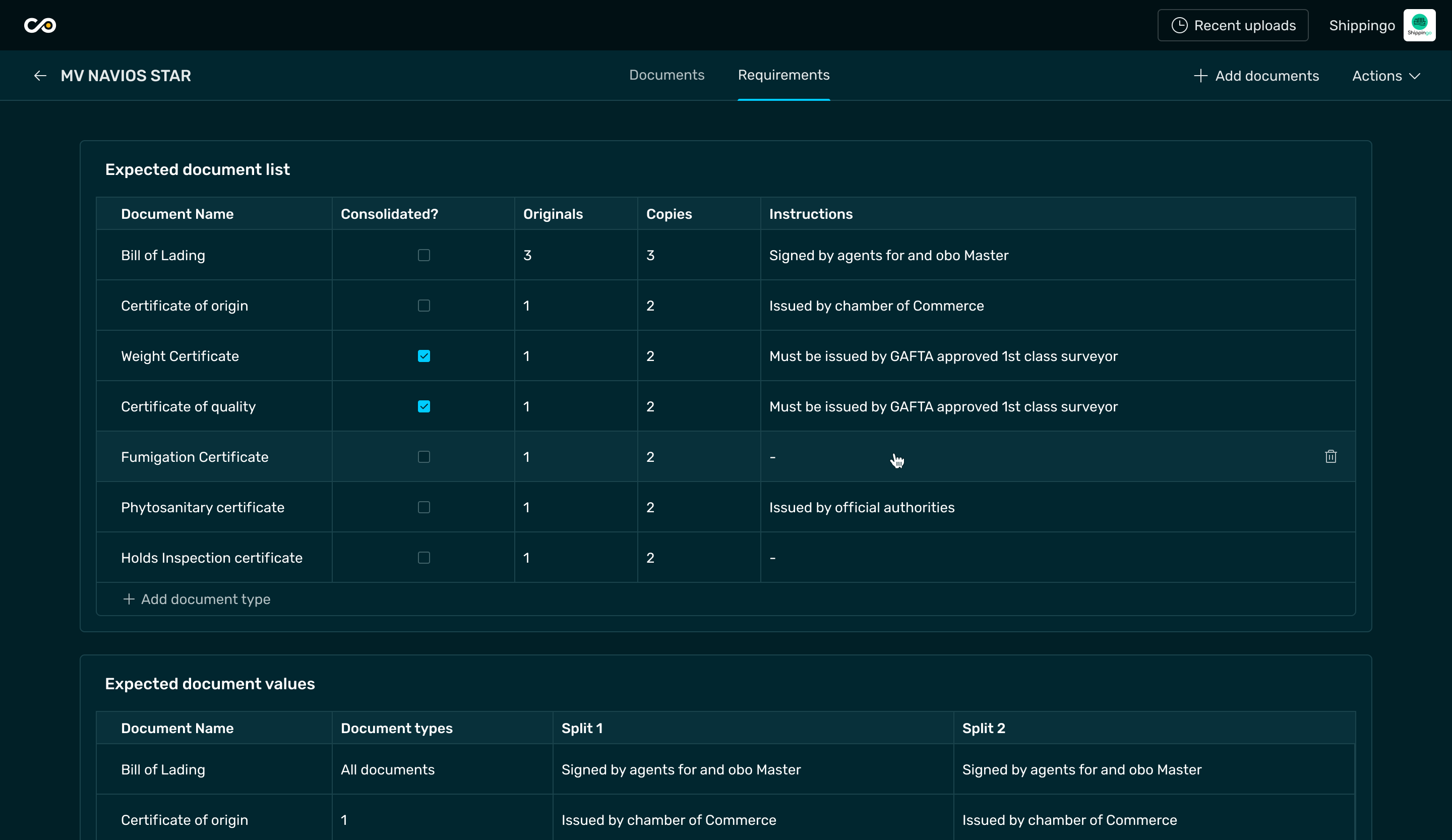
With a prompt based on text and attached files, the AI quickly generates a set of structured requirements, which the user can then review and adjust.
This turns what used to be a time-consuming setup into a quick, guided step that saves up to 80% of the time spent filling the form.

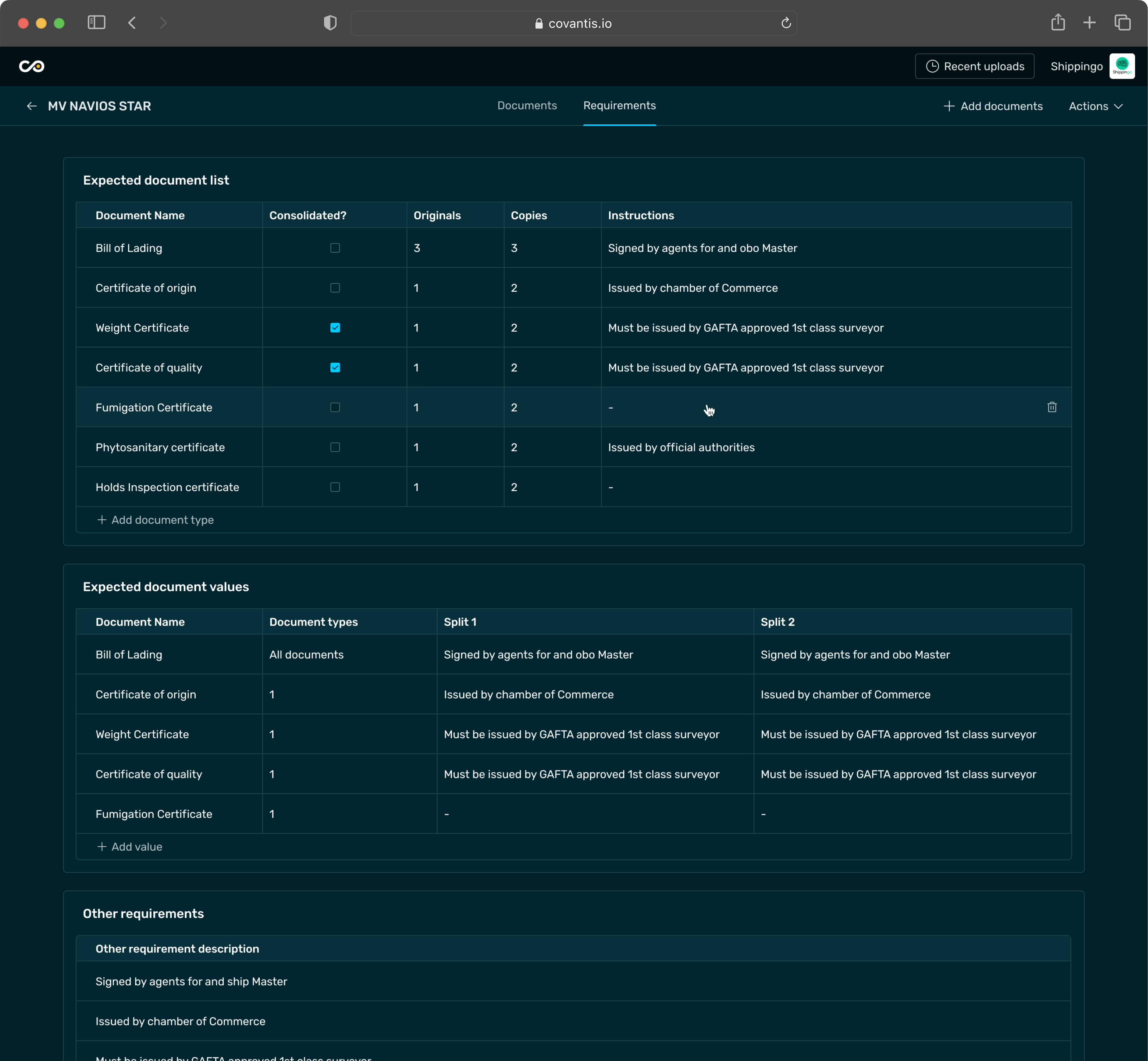
Documents review
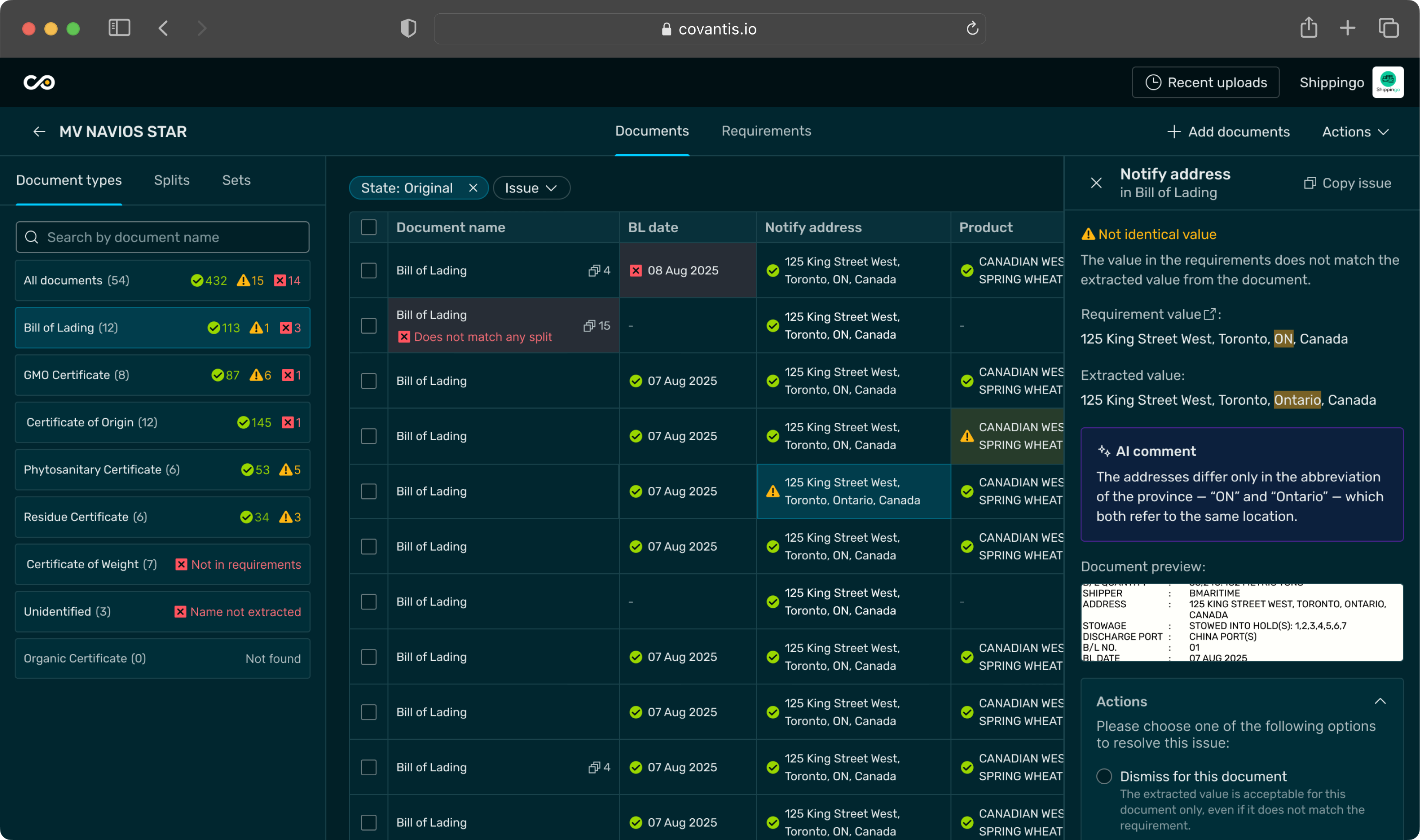
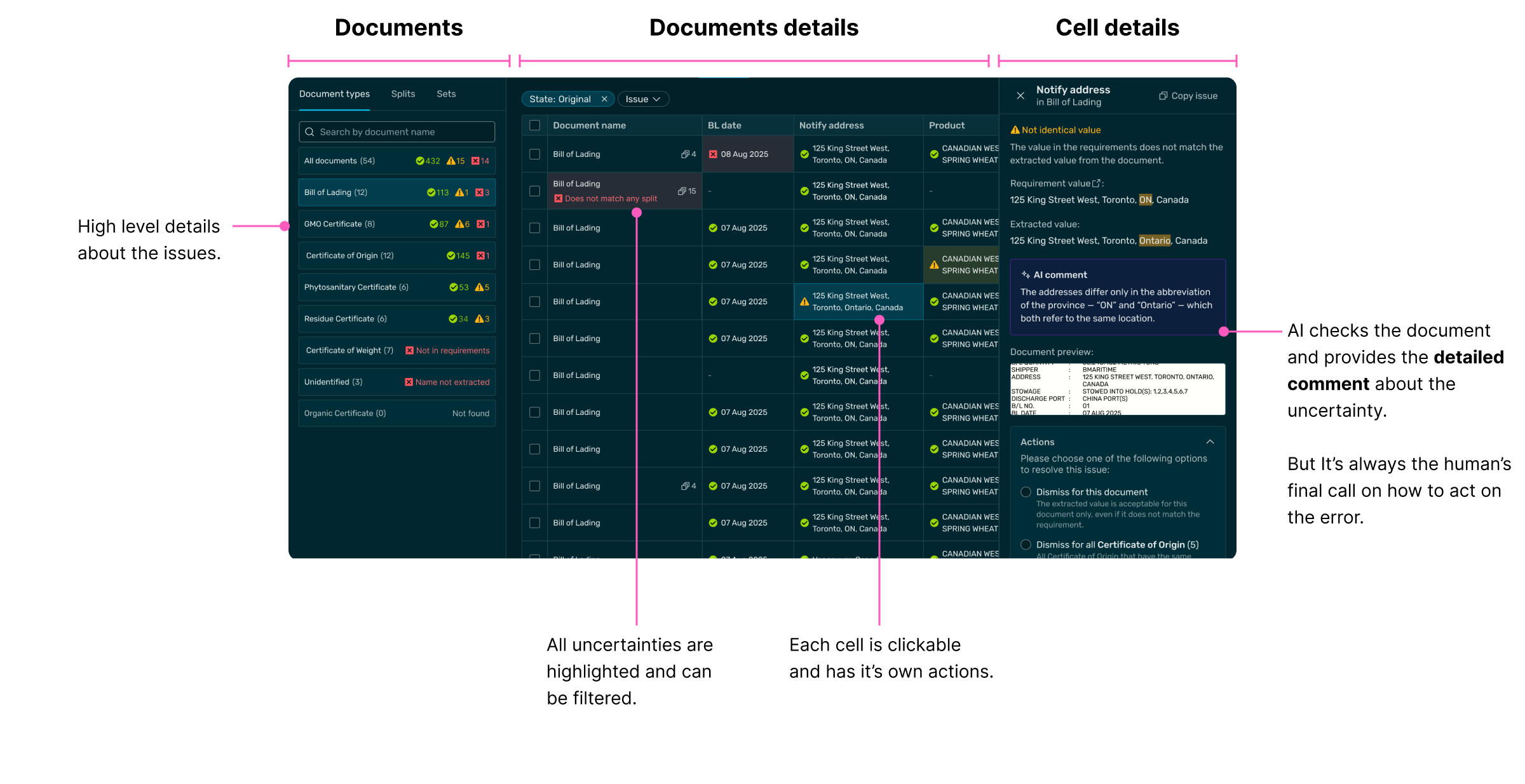
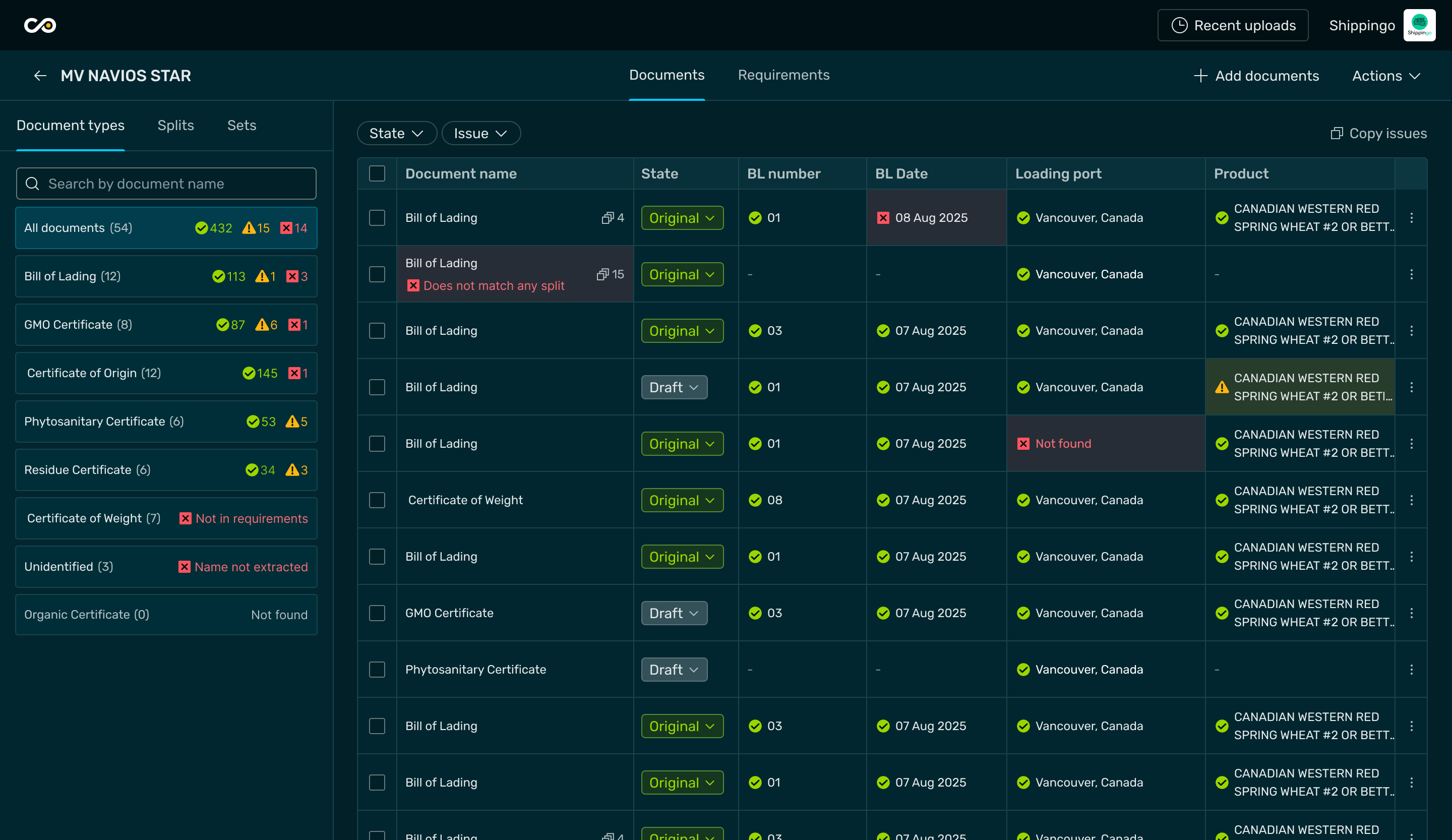
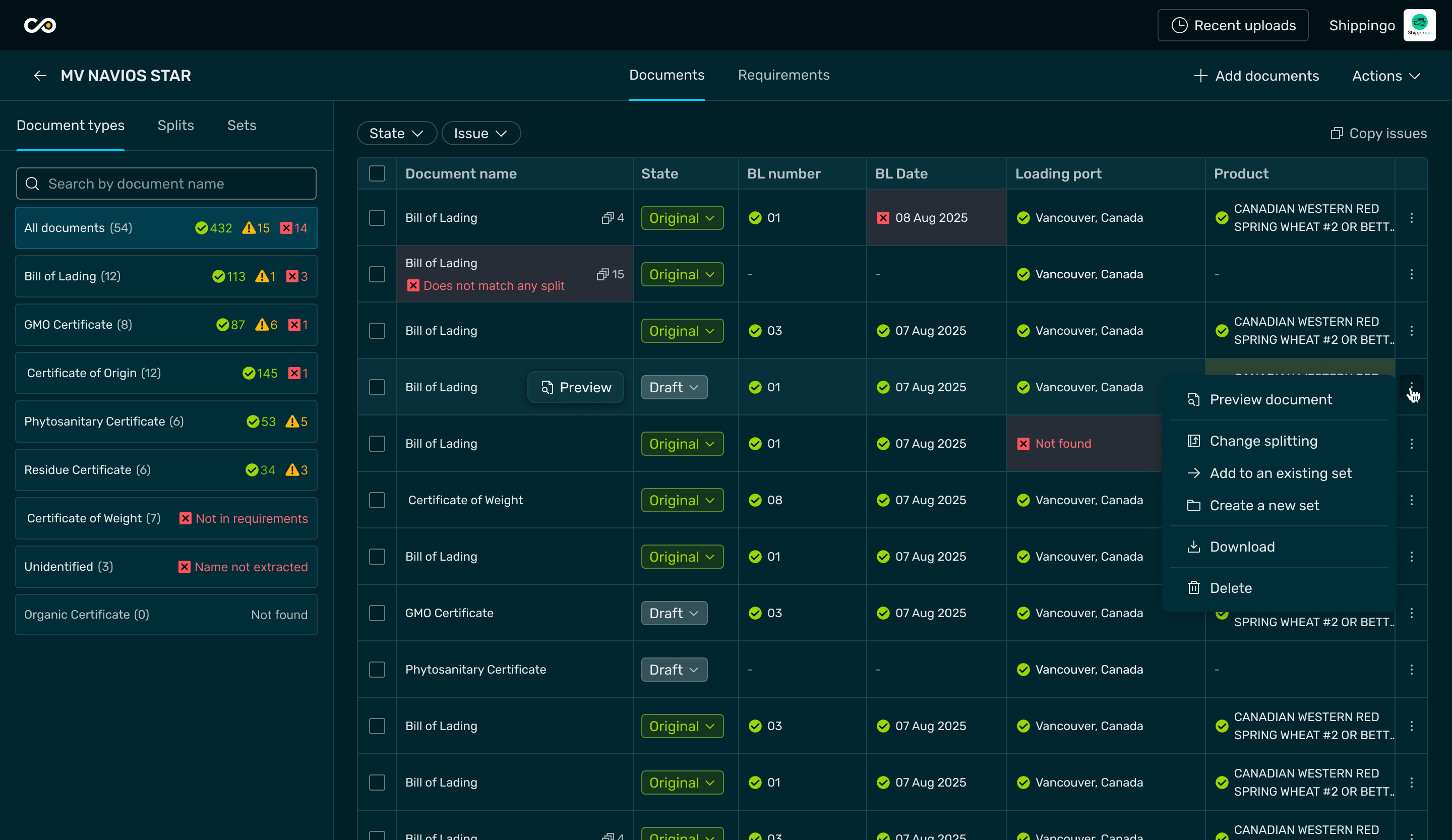
After the user inserts the instructions and uploads the documents, the system provides the compliance results, highlighting the areas that require attention.
Design approach to cover cases
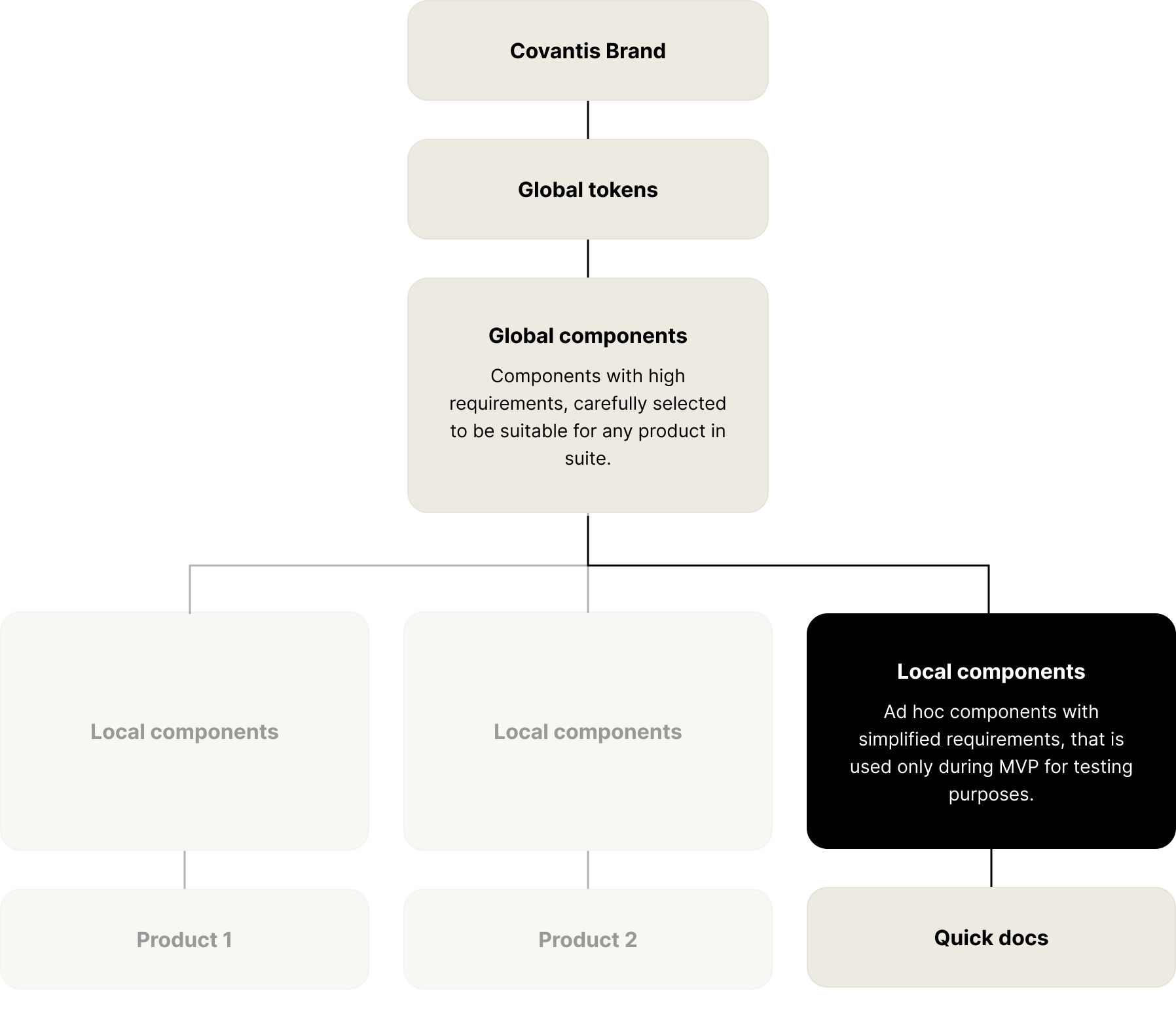
To save time for delivery, we took the best from two worlds: reusing everything we could form the global design system without contributing anything to it yet, and creating ad hoc local MVP components to cover the remaining functionality.
Quickdocs Local “Details” component
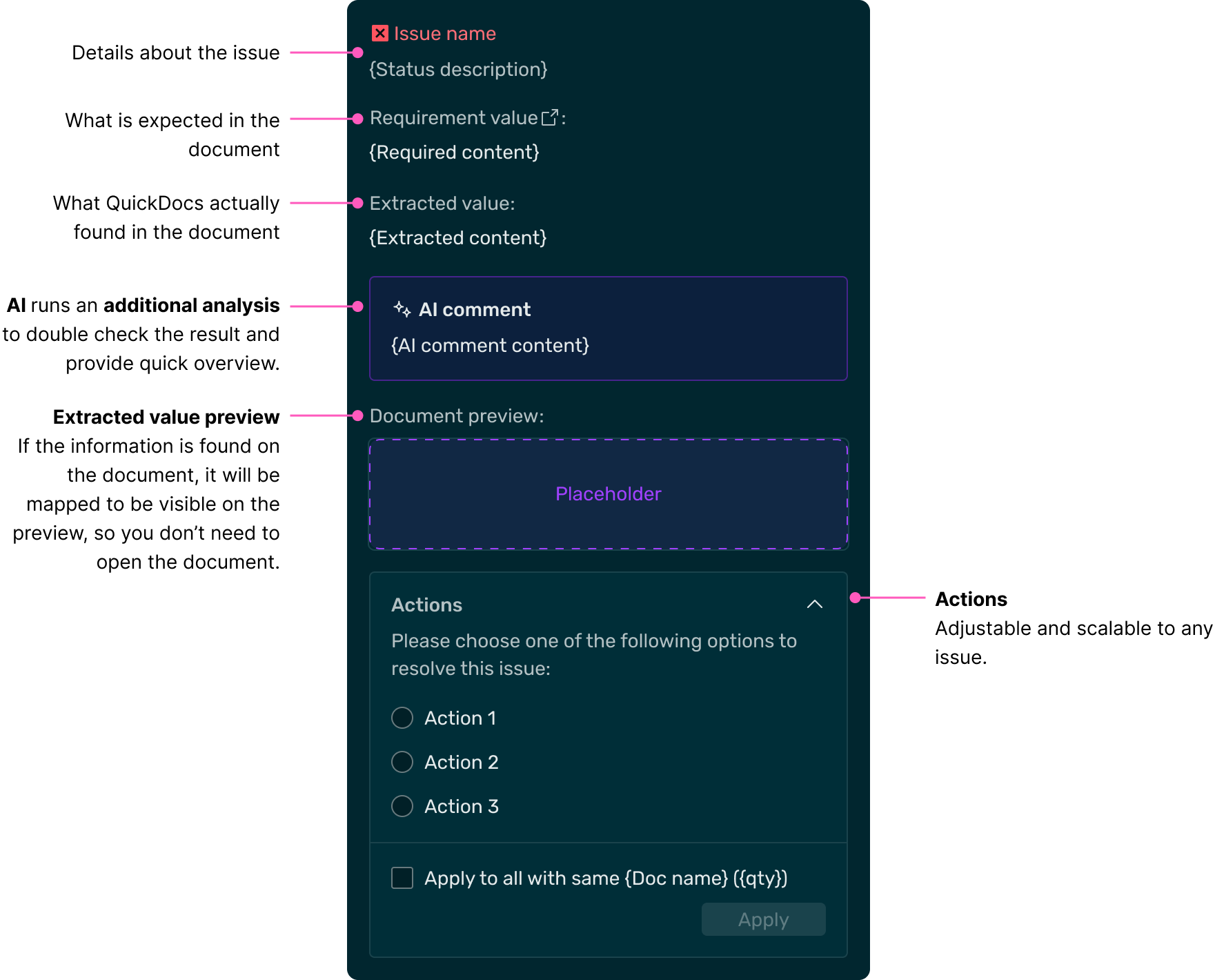
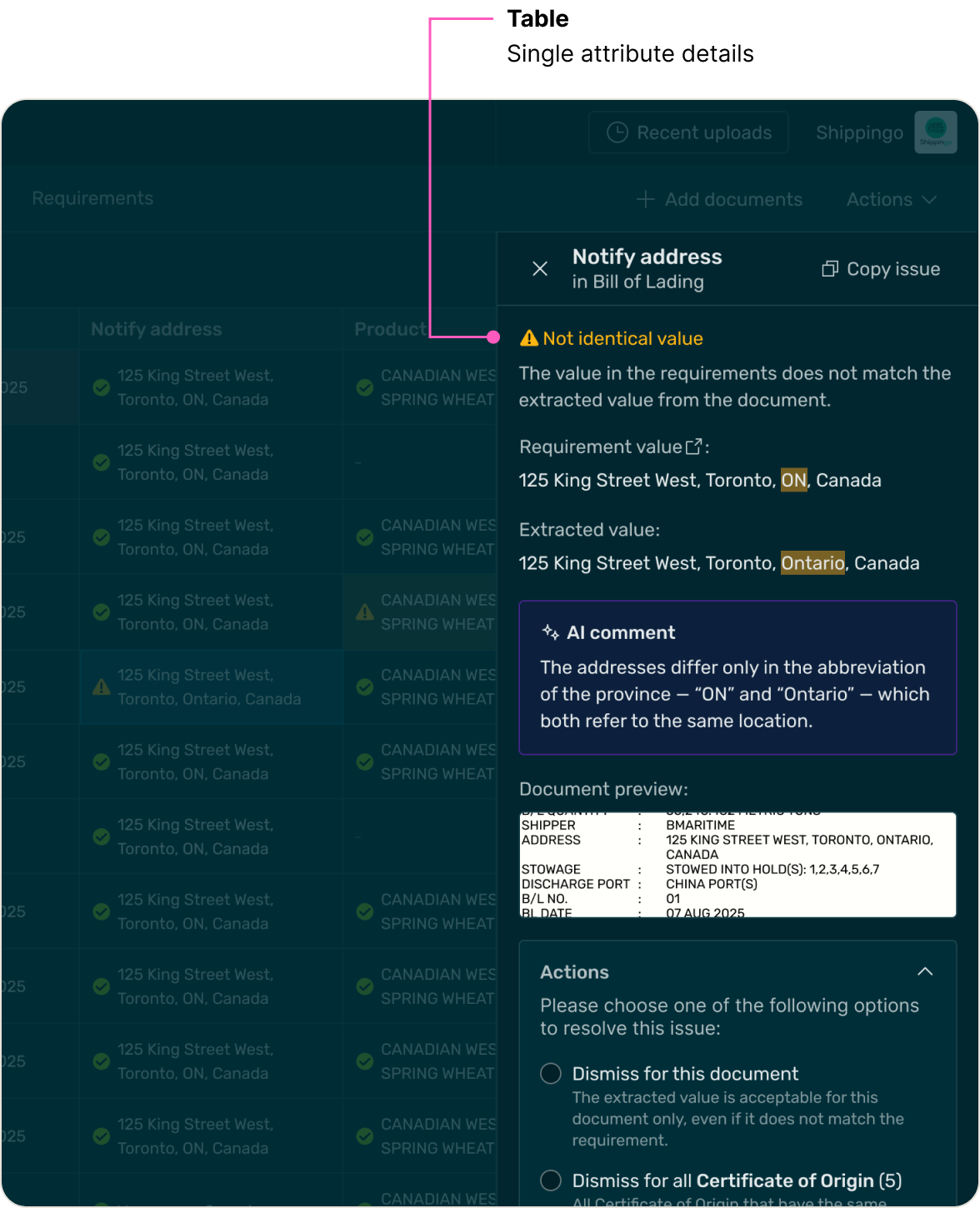
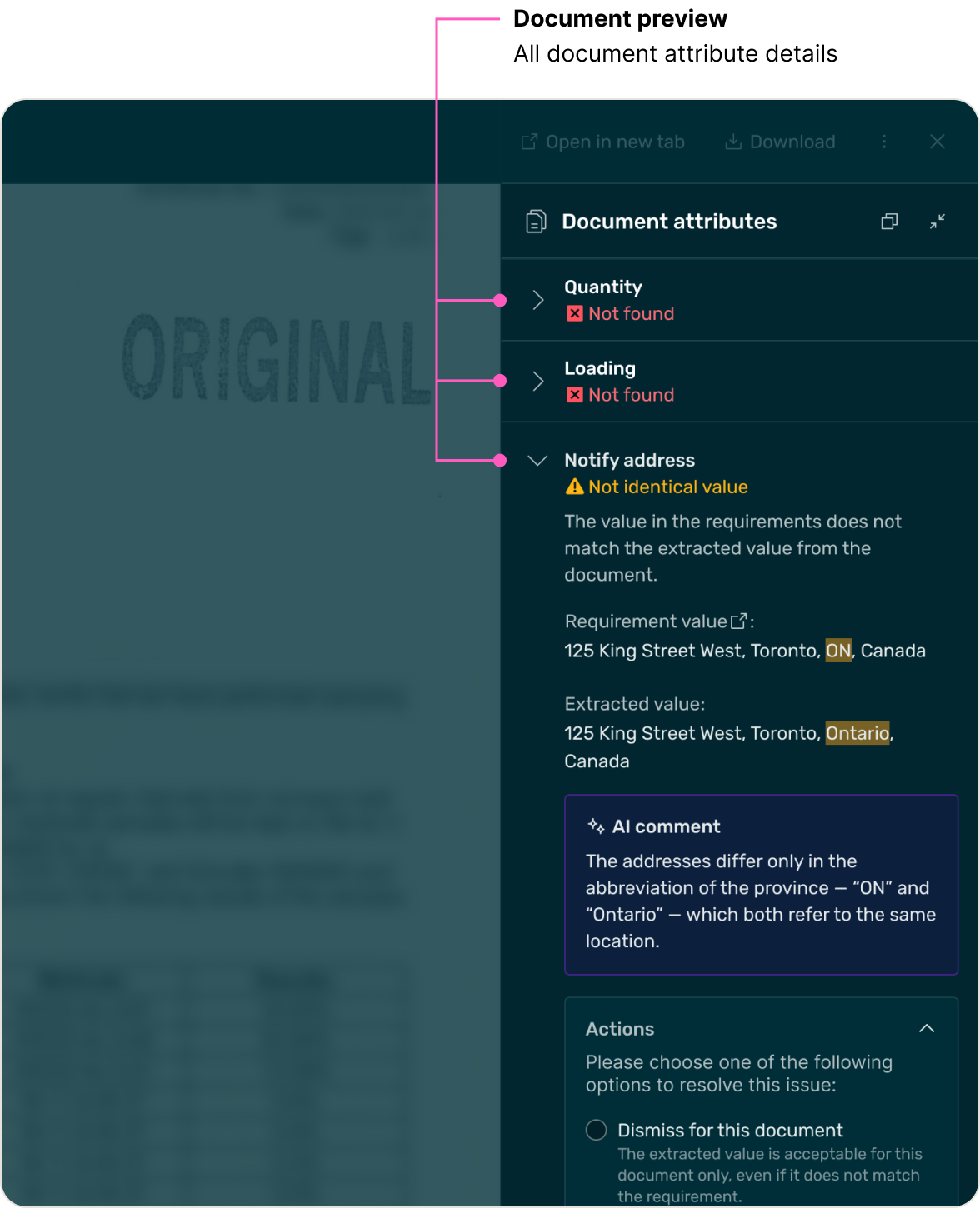
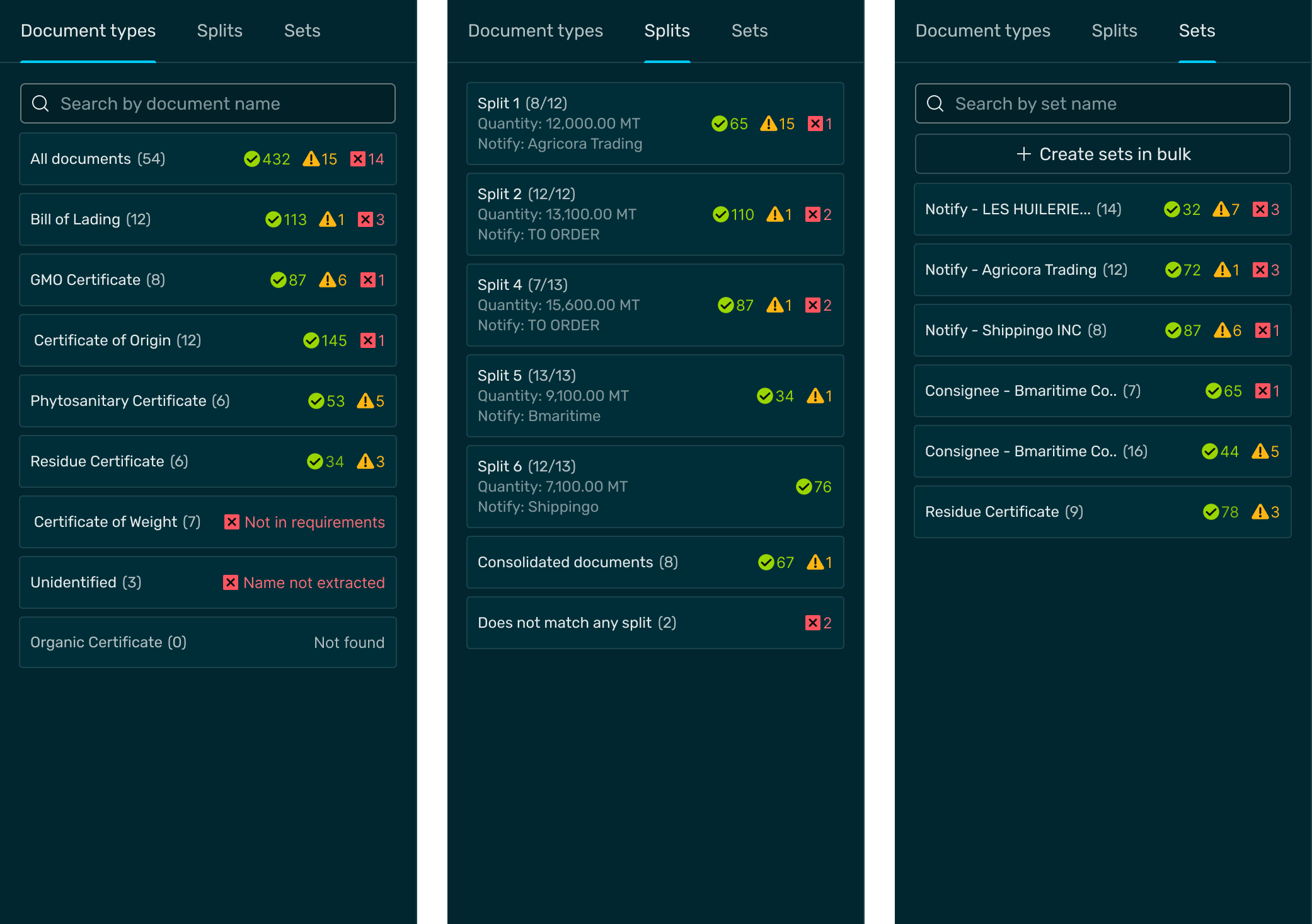
We collected all potential document issues, organized their details, and built a flexible component that reuses shared elements while adapting to each issue, making it easy to handle current and future cases.
Examples of usage
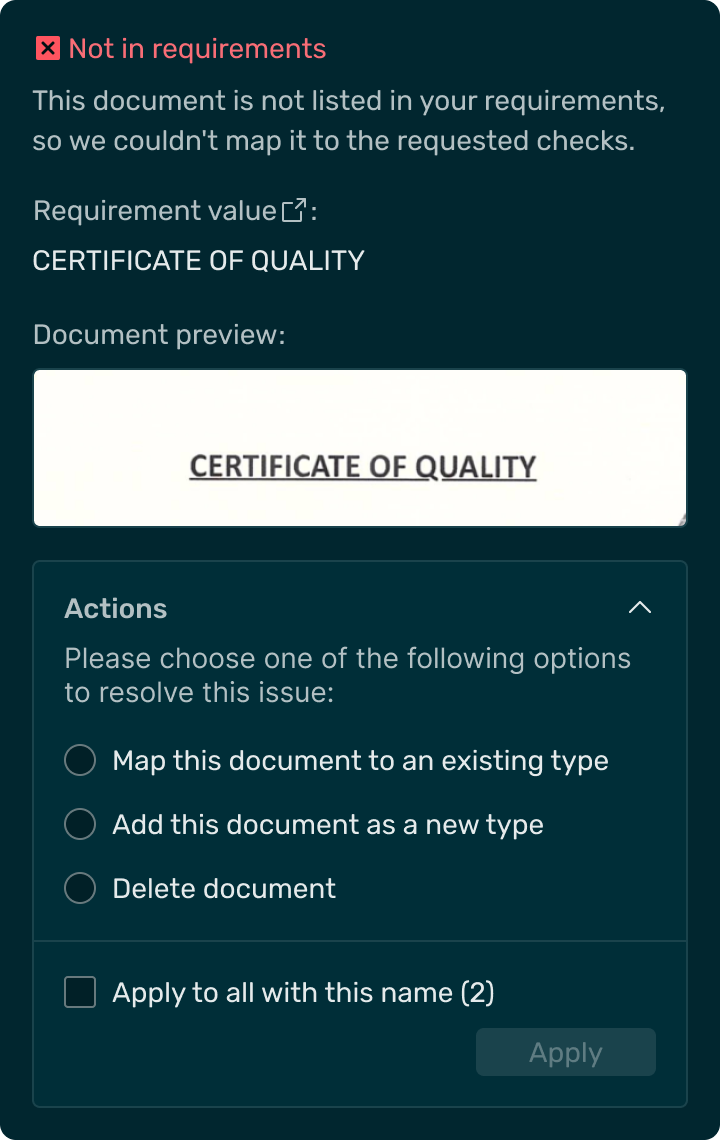

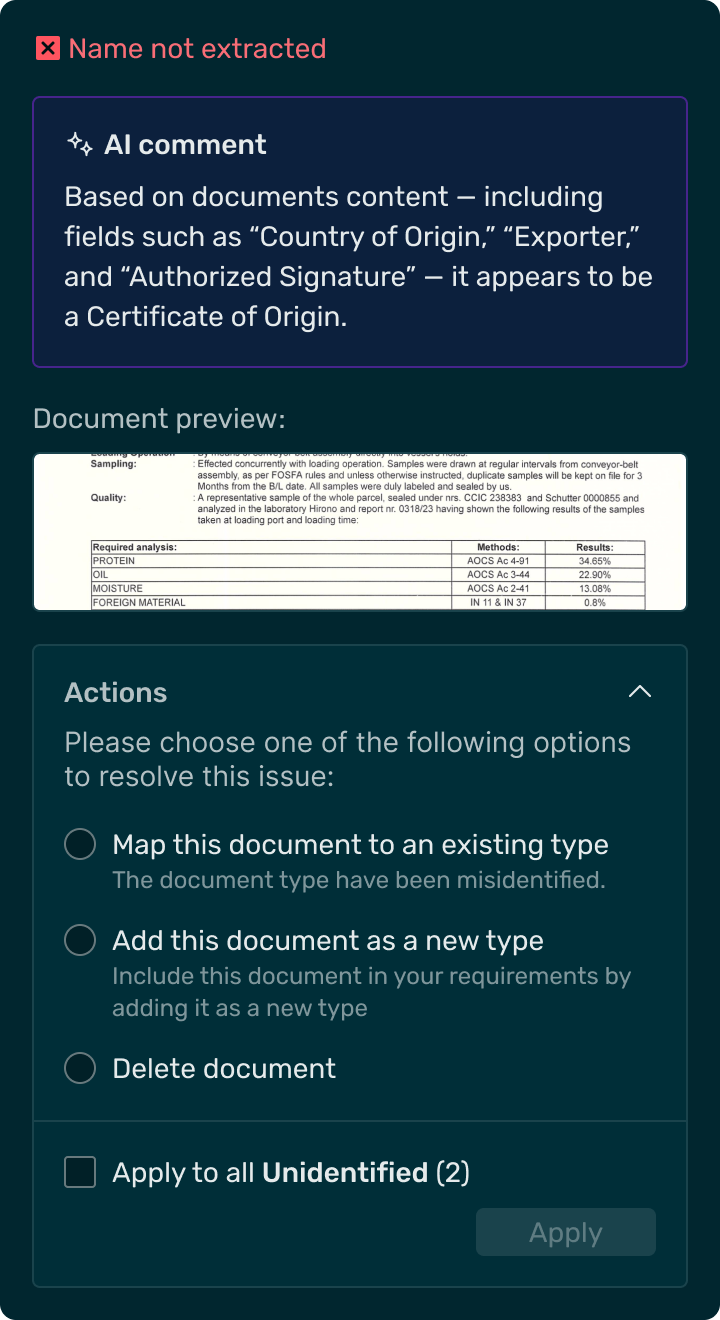
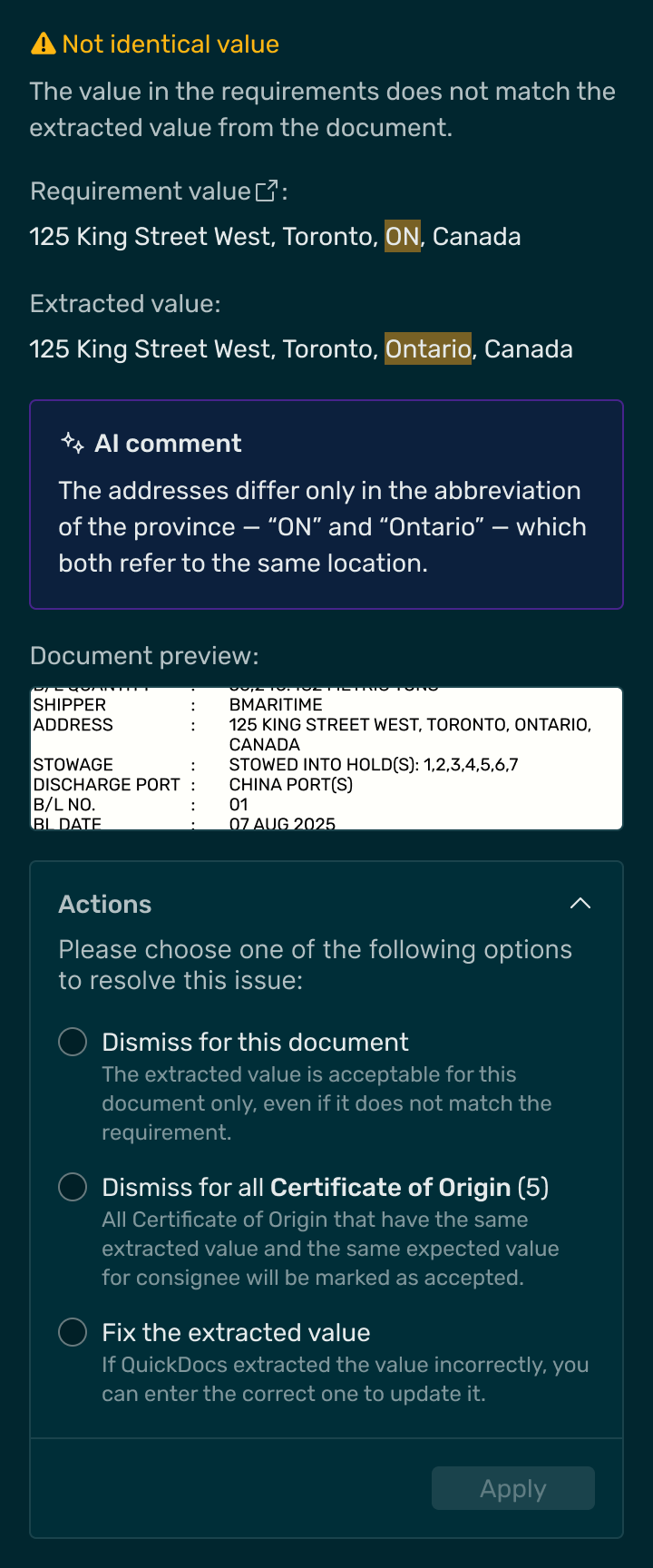
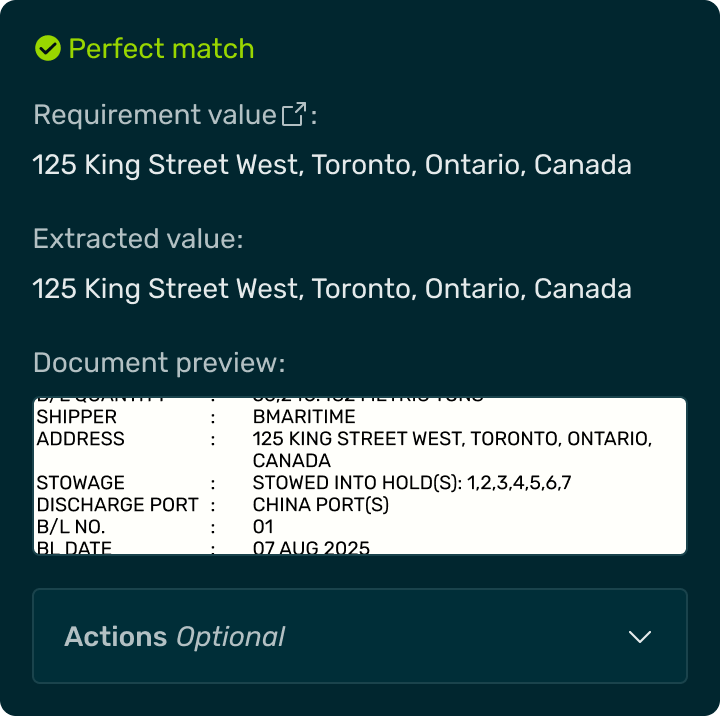
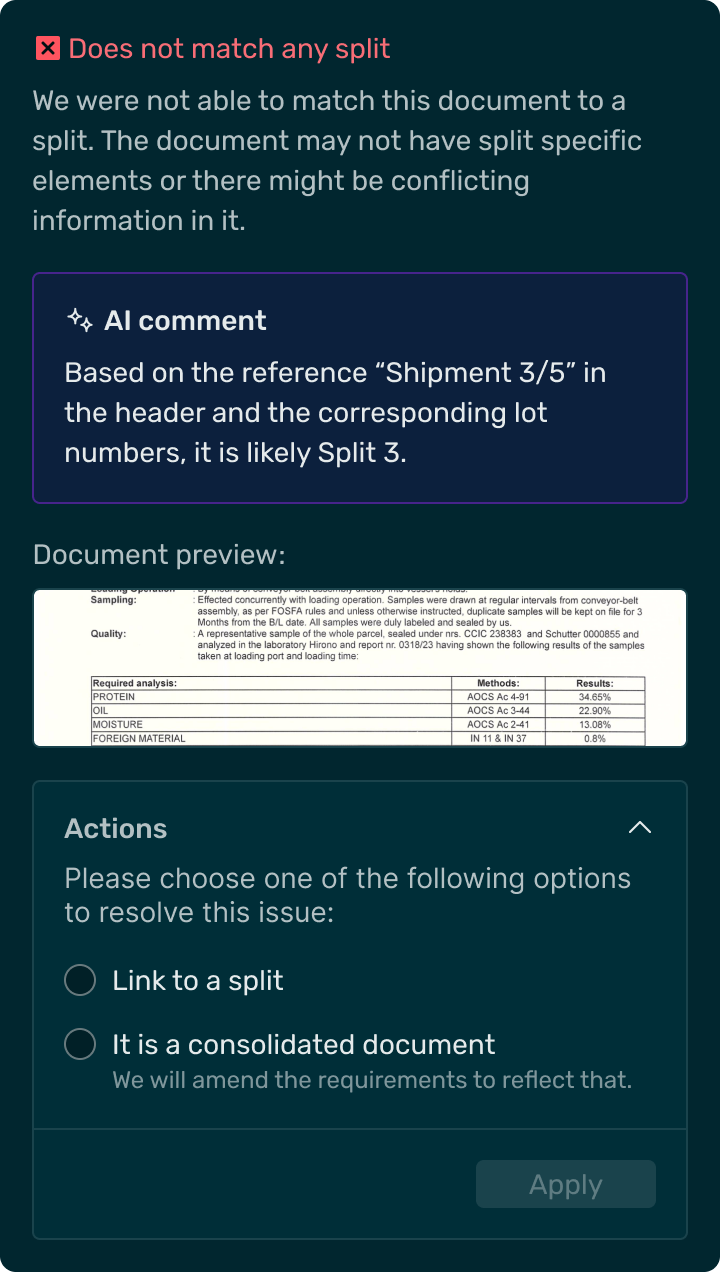
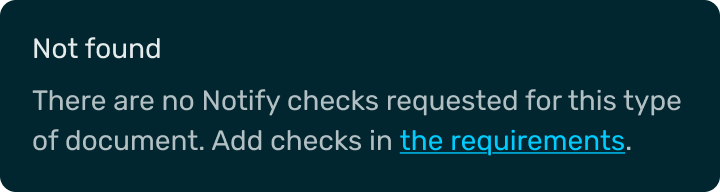
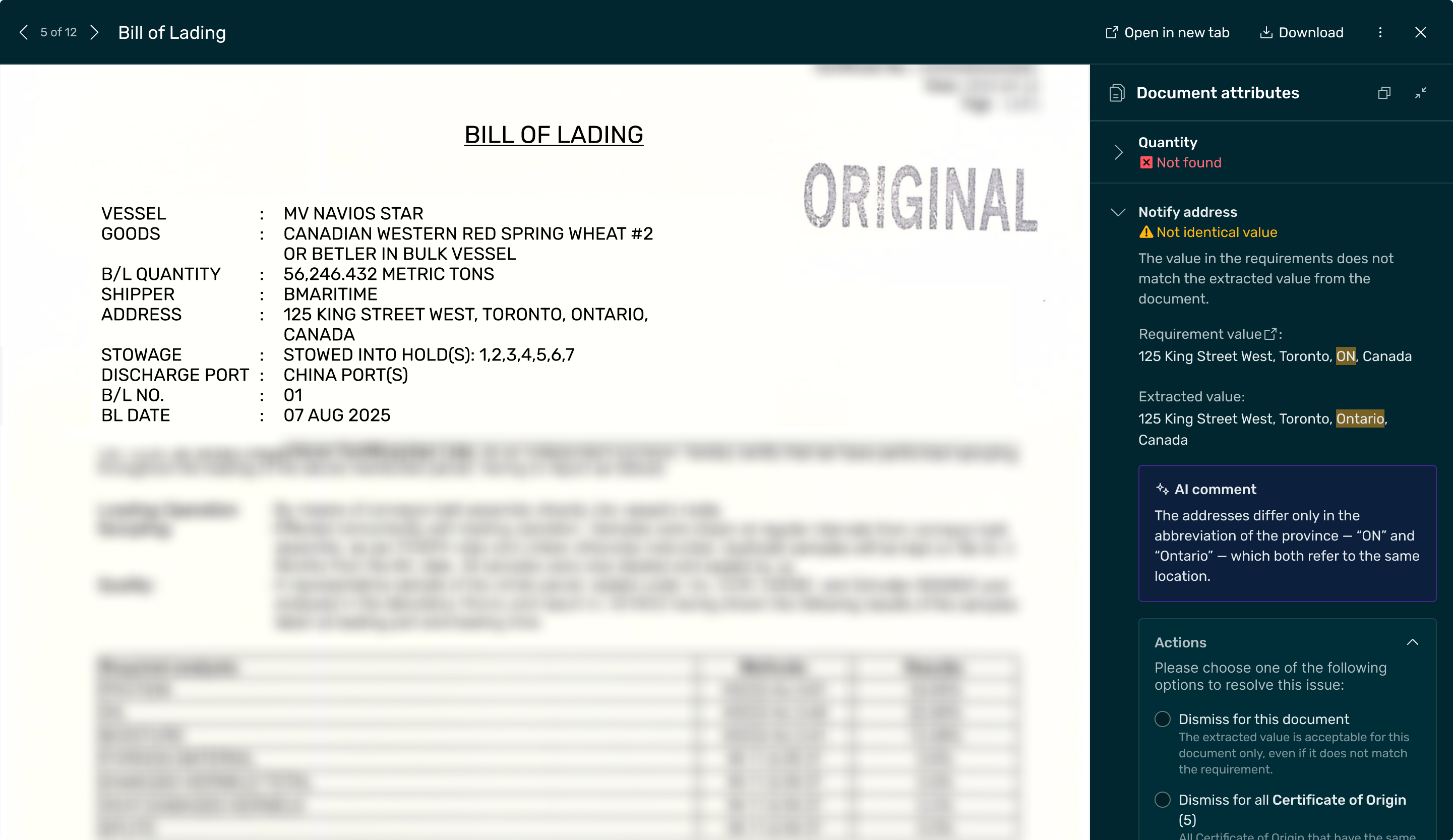
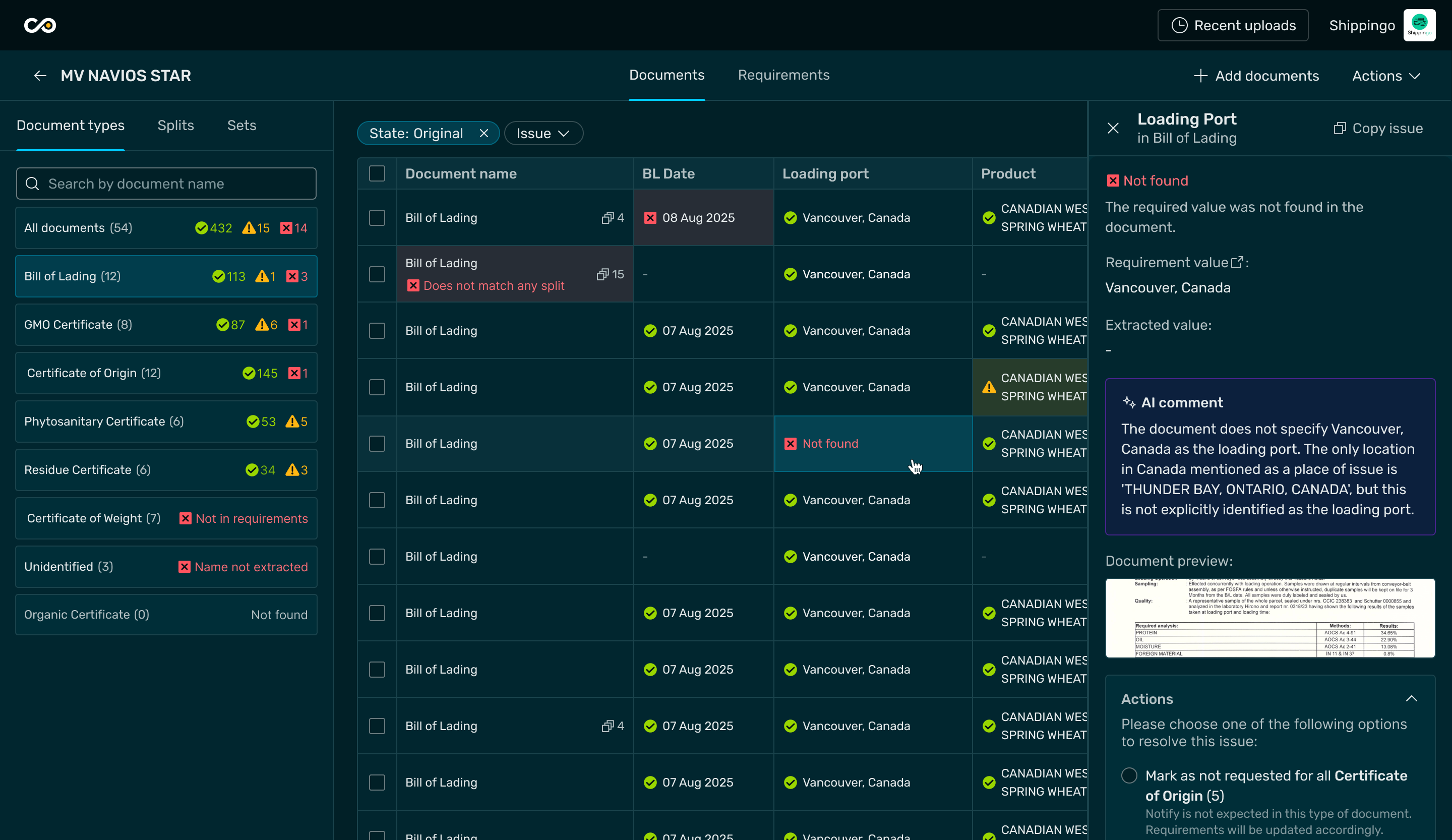
It also adapts both for Table and Document preview views:
Screens


Let’s work together
Your B2B SaaS design boutique
We're always here to chat
hello@mumblejam.com
Follow us


All rights reserved 2025
MVP for an AI-first agritech documents management platform
mvp design
Project outcomes
Delivered an MVP that validated AI-driven document automation, reduced manual work, and enabled scalable platform growth.
4x faster
checking of shipping documents
75% less
errors in document presentation
Up to 2 days
saved in payment
cycle
Problem
1
3
2
4
5
So the challenge was
Automate document checking with AI.
Solution
In collaboration with Covantis product team, we discovered a way to quickly design and deliver MVP concepts, to evolve the idea from 0 to 1 to identify the minimum viable functionality and UX, that enabled client to reach their goal.
Research highlights
We:
facilitated stakeholder interviews
shadowed users to see how they work nowadays
researched the document and instructions types
understood the document checking logic
aligned on technical restrictions with Covantis Dev team
and many other
These activities helped us step into our users’ shoes and understand how their work unfolds day to day. By observing their current process in action, we could see not only what they do, but why they do it, and where the biggest opportunities for simplification lie.
INITIAL Manual Workflow Mapping
Below are snapshots from users’ everyday environment.
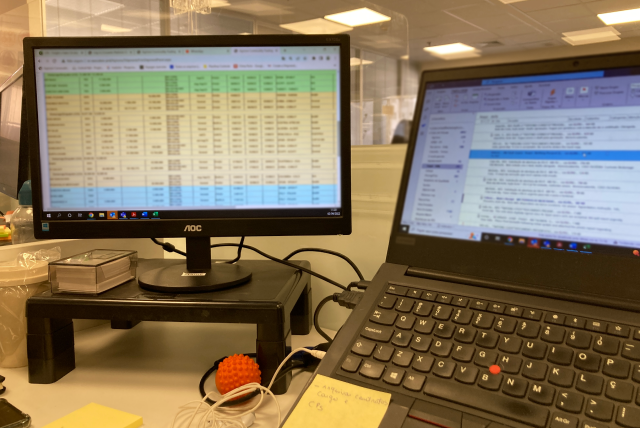
User receives document instructions in any possible form - as email message, as PDF file, or excel table - there is no standardized formatting.
*real photo from shadowing
When it’s time to check document/instruction compliance, users print the documents, check page by page, and put documents for each counterparty in corresponding piles.
*we don’t have a real photo from shadowing, so it’s an AI generated illustration of how it actually looks like.


Tables
Emails
Concept evolution
1. Early version
Simple document parser without any additional functionality.
Proved to be not viable, since user had to manually compare details .
2. Intermediate version
Improved details compapison by allowing user to set up the instructios for the documents check.
Proved to be unviable, since user had to enter document instruction manually, and it became even more time consuming process.
3. Viable version
The AI injections into the user flow enabled to decrease almost all manual entries, and now user could focus only on remaining document issues, which is the very goal of this process.
Viable version flow
Insert document instructions
To make the process flexible, users can choose between entering document requirements manually or asking AI to do it for them.
With a prompt based on text and attached files, the AI quickly generates a set of structured requirements, which the user can then review and adjust.
This turns what used to be a time-consuming setup into a quick, guided step that saves up to 80% of the time spent filling the form.
Documents review
After the user inserts the instructions and uploads the documents, the system provides the compliance results, highlighting the areas that require attention.
Design approach to cover cases
To save time for delivery, we took the best from two worlds: reusing everything we could form the global design system without contributing anything to it yet, and creating ad hoc local MVP components to cover the remaining functionality.
Quickdocs Local “Details” component
We collected all potential document issues, organized their details, and built a flexible component that reuses shared elements while adapting to each issue, making it easy to handle current and future cases.
Examples of usage
It also adapts both for Table and Document preview views:
Screens
Let’s work together
Your B2B SaaS design boutique
We're always here to chat
hello@mumblejam.com
Follow us
All rights reserved 2025
MVP for an AI-first agritech documents management platform
mvp design
Project outcomes
Delivered an MVP that validated AI-driven document automation, reduced manual work, and enabled scalable platform growth.
4x faster
checking of shipping documents
75% less
errors in document presentation
Up to 2 days
saved in payment
cycle
Problem
1
2
3
4
5
So the challenge was
Automate document checking with AI.
Solution
In collaboration with Covantis product team, we discovered a way to quickly design and deliver MVP concepts, to evolve the idea from 0 to 1 to identify the minimum viable functionality and UX, that enabled client to reach their goal.
Research highlights
We:
facilitated stakeholder interviews
shadowed users to see how they work nowadays
researched the document and instructions types
understood the document checking logic
aligned on technical restrictions with Covantis Dev team
and many other
These activities helped us step into our users’ shoes and understand how their work unfolds day to day. By observing their current process in action, we could see not only what they do, but why they do it, and where the biggest opportunities for simplification lie.
INITIAL Manual Workflow Mapping
Below are snapshots from users’ everyday environment.
User receives document instructions in any possible form - as email message, as PDF file, or excel table - there is no standardized formatting.
*real photo from shadowing
When it’s time to check document/instruction compliance, users print the documents, check page by page, and put documents for each counterparty in corresponding piles.
*we don’t have a real photo from shadowing, so it’s an AI generated illustration of how it actually looks like.
Tables
Emails
Concept evolution
1. Early version
Simple document parser without any additional functionality.
Proved to be not viable, since user had to manually compare details .
2. Intermediate version
Improved details compapison by allowing user to set up the instructios for the documents check.
Proved to be unviable, since user had to enter document instruction manually, and it became even more time consuming process.
3. Viable version
The AI injections into the user flow enabled to decrease almost all manual entries, and now user could focus only on remaining document issues, which is the very goal of this process.
Viable version flow
Insert document instructions
To make the process flexible, users can choose between entering document requirements manually or asking AI to do it for them.
With a prompt based on text and attached files, the AI quickly generates a set of structured requirements, which the user can then review and adjust.
This turns what used to be a time-consuming setup into a quick, guided step that saves up to 80% of the time spent filling the form.
Documents review
After the user inserts the instructions and uploads the documents, the system provides the compliance results, highlighting the areas that require attention.
Design approach to cover cases
To save time for delivery, we took the best from two worlds: reusing everything we could form the global design system without contributing anything to it yet, and creating ad hoc local MVP components to cover the remaining functionality.
Quickdocs Local “Details” component
We collected all potential document issues, organized their details, and built a flexible component that reuses shared elements while adapting to each issue, making it easy to handle current and future cases.
Examples of usage
It also adapts both for Table and Document preview views:
Screens
Let’s work together
All rights reserved 2025
MVP for an AI-first agritech documents management platform
mvp design
Project outcomes
Delivered an MVP that validated AI-driven document automation, reduced manual work, and enabled scalable platform growth.
4x faster
checking of shipping documents
75% less
errors in document presentation
Up to 2 days
saved in payment
cycle
Problem
1
2
3
4
5
So the challenge was
Automate document checking with AI.
Solution
In collaboration with Covantis product team, we discovered a way to quickly design and deliver MVP concepts, to evolve the idea from 0 to 1 to identify the minimum viable functionality and UX, that enabled client to reach their goal.
Research highlights
We:
facilitated stakeholder interviews
shadowed users to see how they work nowadays
researched the document and instructions types
understood the document checking logic
aligned on technical restrictions with Covantis Dev team
and many other
These activities helped us step into our users’ shoes and understand how their work unfolds day to day. By observing their current process in action, we could see not only what they do, but why they do it, and where the biggest opportunities for simplification lie.
INITIAL Manual Workflow Mapping
Below are snapshots from users’ everyday environment.
User receives document instructions in any possible form - as email message, as PDF file, or excel table - there is no standardized formatting.
*real photo from shadowing
When it’s time to check document/instruction compliance, users print the documents, check page by page, and put documents for each counterparty in corresponding piles.
*we don’t have a real photo from shadowing, so it’s an AI generated illustration of how it actually looks like.
Tables
Emails
Concept evolution
1. Early version
Simple document parser without any additional functionality.
Proved to be not viable, since user had to manually compare details .
2. Intermediate version
Improved details compapison by allowing user to set up the instructios for the documents check.
Proved to be unviable, since user had to enter document instruction manually, and it became even more time consuming process.
3. Viable version
The AI injections into the user flow enabled to decrease almost all manual entries, and now user could focus only on remaining document issues, which is the very goal of this process.
Viable version flow
Insert document instructions
To make the process flexible, users can choose between entering document requirements manually or asking AI to do it for them.
With a prompt based on text and attached files, the AI quickly generates a set of structured requirements, which the user can then review and adjust.
This turns what used to be a time-consuming setup into a quick, guided step that saves up to 80% of the time spent filling the form.
Documents review
After the user inserts the instructions and uploads the documents, the system provides the compliance results, highlighting the areas that require attention.
Design approach to cover cases
To save time for delivery, we took the best from two worlds: reusing everything we could form the global design system without contributing anything to it yet, and creating ad hoc local MVP components to cover the remaining functionality.
Quickdocs Local “Details” component
We collected all potential document issues, organized their details, and built a flexible component that reuses shared elements while adapting to each issue, making it easy to handle current and future cases.
Examples of usage
It also adapts both for Table and Document preview views:
Screens
Let’s work together
All rights reserved 2025